Job Leveling Software for Consistent Career Levels and Grades
CompBldr job leveling software helps HR and Total Rewards define level criteria, map roles across job families, connect levels to grades and evaluation evidence, and preserve reviewable leveling decisions—then carry that structure into job descriptions, salary ranges, compensation planning, and market benchmarking.
.svg)
Create a consistent leveling framework without relying on title-by-title judgment or disconnected matrices.
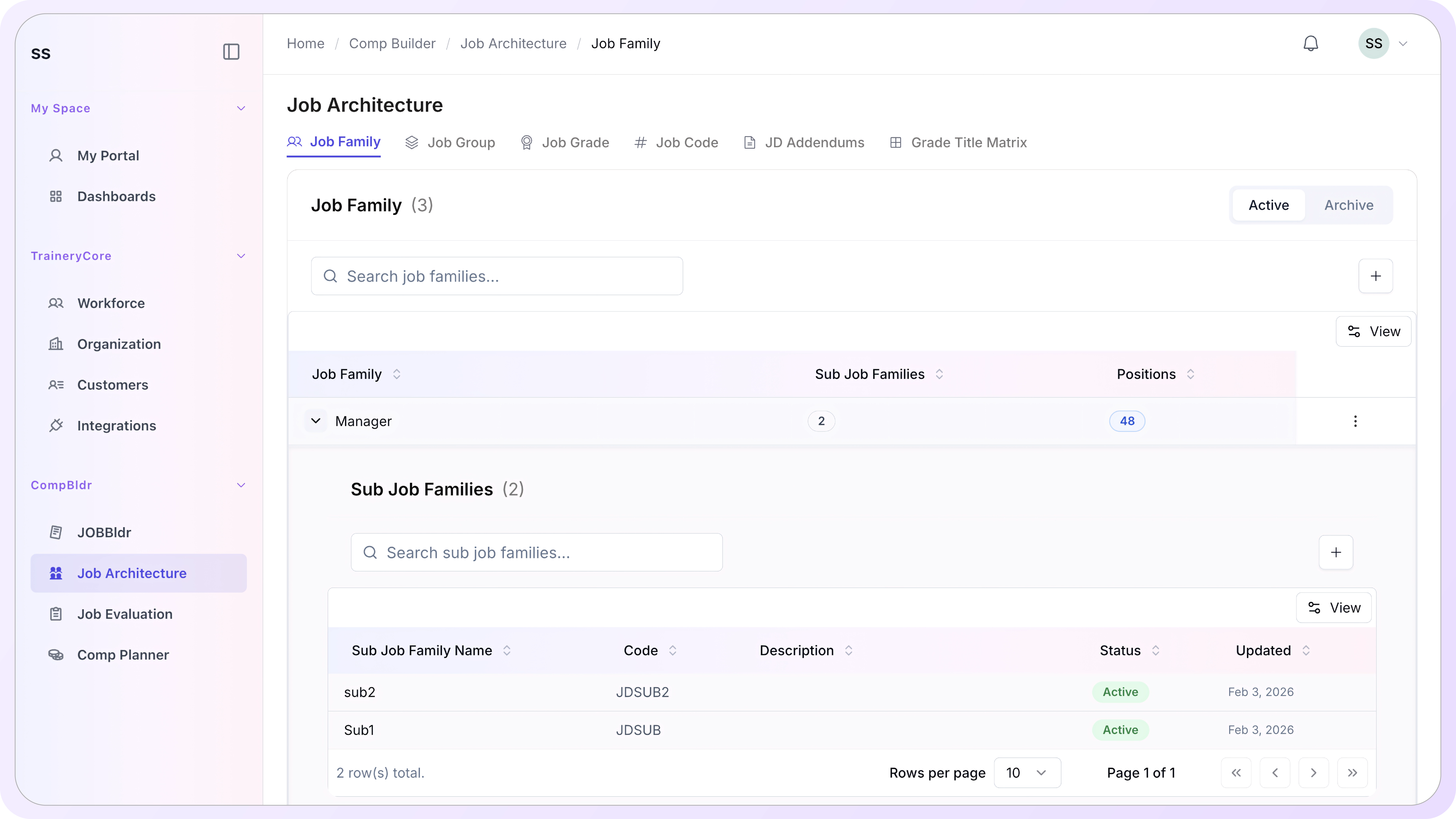
Six Components. One Governed Leveling Framework.
Define how work changes from one level to the next, apply those distinctions within job-family context, and keep level and grade decisions connected to the evidence used to support them.
.svg)
Career Levels
Define the sequence of levels used to distinguish increasing scope, accountability, complexity, and contribution across roles.

Level Criteria
Document the criteria that separate adjacent levels so reviewers can compare roles against the same framework instead of title alone.
.svg)
Job Families
Apply leveling within the correct work domain so Engineering, Product, HR, Finance, and other families can be reviewed in context.

Grade Mapping
Connect career levels and grade ranges to structured JESAP evaluation so assignments can be reviewed against documented role evidence instead of manager preference.
Explore Job Grades Guide →
Job Evaluation Evidence
Use evaluation scores, role scope, and configured boundaries as supporting evidence when reviewing how a role maps to a grade or level.
.svg)
Leveling Matrix
Review titles across families, levels, and grades in one matrix so structural gaps, inconsistent placements, and duplicate patterns are easier to spot.
Explore Job Leveling Matrix →How Job Leveling Software Keeps Career Levels Consistent
Job leveling sits between role definition, job architecture, evaluation, and downstream compensation decisions. Here is how CompBldr keeps those relationships reviewable.
Define Level Criteria Before Titles Create Inconsistency.
Start with explicit distinctions between adjacent levels: the expected scope of work, accountability, complexity, and role contribution. A documented framework gives reviewers a common reference before a new or existing title is assigned.
.svg)
Compare Role Scope Within the Right Job-Family Context.
Leveling decisions make more sense when the role is reviewed inside its job family and work domain rather than compared only by title. CompBldr keeps family, sub-family, group, title, level, grade, and code context connected.
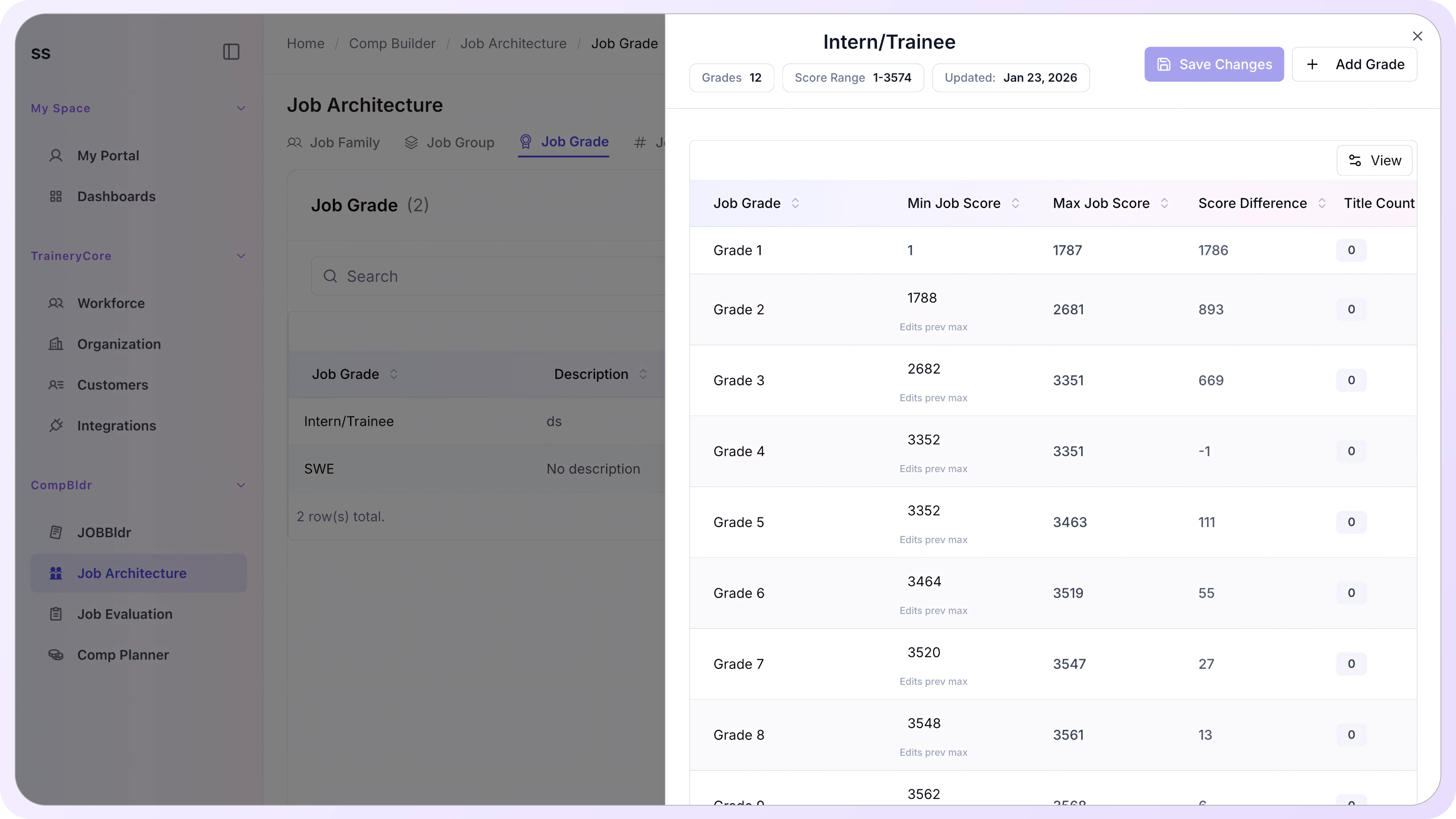
Connect Level Decisions to Reviewable Evaluation Evidence.
Use configured score boundaries and structured role evidence to support level and grade reviews. The decision remains reviewable and versioned instead of silently changing prior assignments, with a consistent reference back to job evaluation.

See Roles, Levels, Grades, and Families in One View.
The matrix view brings titles, job families, levels, and grades together so HR, Total Rewards, and leadership can review the structure, identify inconsistencies, and confirm where roles sit before downstream pay decisions rely on it.
Frequently Asked Questions
What is job leveling software?
How is job leveling different from job architecture?
How should job levels and job grades work together?
What is a job leveling matrix?
What evidence should support a leveling decision?
How should teams level roles across different job families?
How does job leveling connect to Job Evaluation and Compensation Planning?
Can level and grade frameworks change after roles are assigned?
How configurable is the CompBldr job leveling framework?
Build a Job Leveling Framework That Stays Connected to Pay Decisions
Define role levels once, review them consistently, and carry the governed structure into job evaluation, market pricing, salary ranges, and compensation planning.
15-minute walkthrough · See the job leveling and architecture workflow using real product screens


.svg)

.svg)
.svg)

