

.svg)





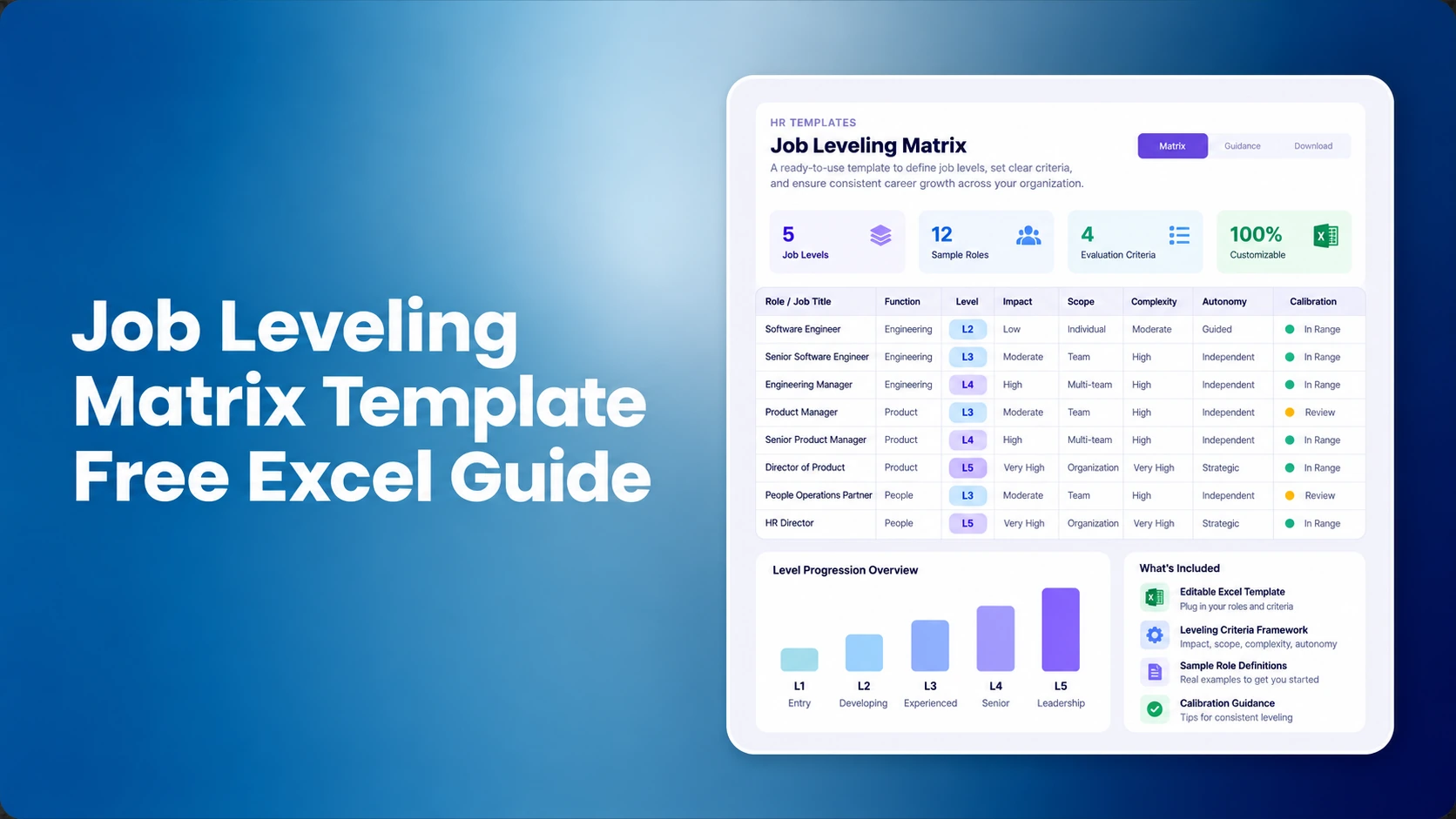

A job leveling matrix, also called a job levelling matrix in UK English, gives HR and Total Rewards teams one consistent way to classify jobs by the work they require, not by title, tenure, current salary, or the person currently in the role. The most useful matrices define observable differences in expertise, problem complexity, decision scope, organizational impact, communication scope, and leadership, then use calibration to test difficult placements across functions.
This guide includes a practical Excel workbook structure, level criteria, calibration rules, and implementation checks. It is intentionally separate from CompBldr’s existing job leveling framework guide, which owns the broader framework/scaling intent, and job grades vs. job levels, which owns the terminology intent. For the product workflow, review CompBldr job leveling software.
What Is a Job Leveling Matrix?
A job leveling matrix is a grid used to map jobs to defined career levels using consistent job-content criteria. A practical matrix combines a career track, proposed level, observable criteria, evidence, reviewer notes, calibration status, and a final approved level. The goal is not to create a perfect score. It is to make the evidence behind structural placement visible and reviewable.
The important distinction is that a matrix should classify the job. Performance management evaluates how an employee performs the job. Compensation positioning determines where an employee sits within the applicable range. Those decisions can interact, but they should not be collapsed into one leveling score.
What Is Included in the Free Excel Template?
The downloadable workbook contains three practical tabs:
- Job Leveling Matrix: a role-by-role working sheet with job family, title, career track, proposed level, six job-content criteria, evidence, reviewer, calibration status, final level, effective date, and notes.
- Level Criteria: editable L1-L6 reference definitions covering scope, autonomy, problem complexity, decision authority, business impact, communication and influence, and leadership.
- Calibration Guide: a step-by-step review process for evidence gathering, cross-functional calibration, disagreement handling, documentation, governance, and review cadence.
The workbook also includes an example role, dropdowns for career track, level, and calibration status, plus blank working rows you can replace with your own roles.
Job Leveling Criteria to Put in the Matrix
Use criteria that describe the job's required work and scope. Avoid proxies such as title prestige, incumbent tenure, current salary, or individual performance.
| Criterion | What to evaluate | Avoid |
|---|---|---|
| Knowledge & expertise | Depth and breadth of knowledge required by the job. | Using incumbent tenure as a proxy. |
| Problem complexity | How defined, ambiguous, novel, or cross-functional the problems are. | Using vague phrases such as “solves complex problems” without evidence. |
| Decision scope | What the role can decide independently and what requires escalation. | Confusing a senior title with decision authority. |
| Business impact | Where outcomes are felt: task, team, function, business unit, or enterprise. | Using unsupported “high impact” labels. |
| Communication scope | Stakeholder complexity and influence required by the job. | Rating personality, confidence, or presentation style. |
| Leadership | People leadership, technical leadership, standards, or enterprise influence. | Assuming leadership always requires direct reports. |
Example L1-L6 Level Definitions
Use these as a starting point, not as universal rules. Organizations should adapt the language to their operating model, job families, and career tracks.
- L1: performs defined work with close guidance; decisions stay within assigned tasks.
- L2: owns recurring work independently and selects among known approaches.
- L3: owns complex workstreams, handles ambiguity, and influences across a team or function.
- L4: leads a major domain or program, resolves novel problems, and sets standards across multiple teams.
- L5: shapes functional strategy and makes high-impact decisions across a business unit or enterprise domain.
- L6: operates at enterprise scale with broad strategic authority or distinguished expertise.
How Many Job Levels Should Your Matrix Have?
There is no universal correct number of levels. Start with the smallest set that creates meaningful differences in scope, autonomy, complexity, decision authority, impact, and leadership. Add a level only when you can describe a real change in the work. If two adjacent levels cannot be distinguished with observable job evidence, the framework is probably too granular.
The L1-L6 structure in this template is intentionally editable. A smaller organization may use fewer levels, while a larger organization may need additional career stages or separate executive bands. Consistency matters more than matching another company's level count.
Define Career Tracks Before You Assign Levels
Set the career track before deciding the level. At minimum, distinguish individual-contributor and people-manager work; many organizations also use an executive track. Parallel tracks help advanced specialists progress without requiring direct reports, while managers can be evaluated on team, organizational, and leadership scope rather than specialist depth alone.
How to Use the Job Leveling Matrix
- Choose the canonical role inventory. Start from current HRIS/job architecture records rather than manager-created title lists.
- Assign career track first. Separate individual contributor, people-manager, and executive tracks before assigning level.
- Read the job description and evidence. Use actual accountabilities, scope, decisions, and stakeholder context.
- Score or describe each criterion. Do not let one impressive criterion override every other dimension without documented rationale.
- Propose a level. Record the evidence that supports it.
- Calibrate across functions. Compare borderline roles side by side rather than reviewing each department in isolation.
- Approve and record the rationale. Preserve the decisive evidence, reviewer, effective date, and exceptions.
- Connect the result downstream. Map the approved level into job architecture, job evaluation, grades, market benchmarking, and salary structures as appropriate.
Who Should Review and Approve Job Levels?
Ownership should be explicit before calibration starts. A practical operating model is:
- HR or People Operations: maintains the canonical job inventory and ensures titles, job families, and reporting relationships are current.
- Total Rewards or Compensation: owns the leveling criteria, facilitates calibration, checks consistency across functions, and documents the final rationale.
- Functional leaders: provide evidence about scope, decisions, complexity, and impact, but should not level roles based only on title, tenure, or retention pressure.
- HR leadership or a named governance owner: resolves material disputes, approves exceptions, and confirms when changes become effective.
The key control is separation between evidence and approval. Managers should contribute role context, while the calibration process tests whether that evidence meets the same level standard used elsewhere in the organization.
How to Run a Calibration Session
Calibration is the control that turns a matrix from a set of definitions into a repeatable operating process. Select difficult or borderline roles in advance. Remove incumbent-specific factors such as performance, salary, tenure, and retention risk from the structural placement discussion. Compare roles across functions at the same proposed level. When reviewers disagree, document the criterion driving the disagreement and escalate to a named decision owner rather than averaging the result.
Record one or two sentences explaining contested decisions. That note becomes the evidence future reviewers need after a reorganization, manager change, or pay-equity review.
Worked calibration example
Suppose a role is titled Senior Data Analyst and a manager proposes L4 because the incumbent is experienced and highly paid. The matrix should ignore those incumbent factors and test the job itself. If the role independently owns complex analysis, influences one function, and provides technical guidance but does not set standards across multiple teams or shape functional strategy, the evidence may support L3 instead. The calibration note should record the decisive scope and decision-authority evidence, not simply state that the title “feels senior.”
Calibration failure signals
- Reviewers repeatedly use title or tenure to break ties.
- Every function interprets the same level differently.
- One criterion, such as stakeholder visibility, overrides the rest of the job evidence.
- Managers request a new level to solve a promotion, retention, or salary problem.
- Final decisions are approved without a short written rationale.
- The organization cannot identify which version of the matrix is authoritative.
These are governance problems, not wording problems. Tighten the decision process before adding more levels or more criteria.
Job Leveling Matrix vs. Job Evaluation vs. Job Grades
| Tool | Primary purpose | Typical output |
|---|---|---|
| Job leveling matrix | Define progression and classify job scope. | L1-L6 or equivalent career level. |
| Job evaluation | Assess relative internal job value using a documented methodology. | Factor evidence, score, or evaluation outcome. |
| Job grade | Group jobs into a compensation structure. | Grade and associated salary-range context. |
These concepts are related but not interchangeable. See Job Grades vs. Job Levels and the point-factor job evaluation guide for the underlying distinctions.
Common Job Leveling Mistakes
- Leveling employees instead of jobs.
- Using years of experience as an automatic level threshold.
- Creating a new level to solve one promotion or retention problem.
- Using different definitions for the same level across functions without an explicit architecture rule.
- Forcing senior individual contributors into management to progress.
- Skipping cross-functional calibration.
- Publishing levels without linking them to job descriptions, evaluation evidence, grades, or governance.
- Keeping multiple active spreadsheets after the framework is approved.
When a Spreadsheet Stops Being Enough
Excel is useful for design and pilot calibration. It becomes harder to govern when multiple teams edit the architecture, roles change frequently, several HR systems depend on the same structural identity, or the organization needs durable approval and version history. The decision framework in Job Architecture Software vs. Spreadsheets explains the transition point.
If dedicated software is already being evaluated, use Job Architecture Software: 10 Features to Evaluate as the buyer checklist.
Final Calibration Checklist
- Does every level represent a meaningful change in job scope?
- Can two reviewers apply the criteria to the same evidence and reach a similar result?
- Are IC and manager tracks explicit?
- Are vague words replaced with observable thresholds?
- Were borderline roles compared across functions?
- Were performance, tenure, salary, and retention risk excluded from structural placement?
- Is the final rationale recorded?
- Is there one canonical approved version?
A useful job leveling matrix does not eliminate judgment. It makes judgment structured, comparable, and reviewable. Start with a small set of representative jobs, improve the criteria during calibration, then scale only after reviewers can apply the framework consistently.


.svg)

.svg)
.svg)

