Pay Transparency Software for Governed Salary Range Communication
CompBldr pay transparency software helps HR and Total Rewards govern salary ranges, job context, effective dates, planning, and reporting in one connected workflow.
.svg)
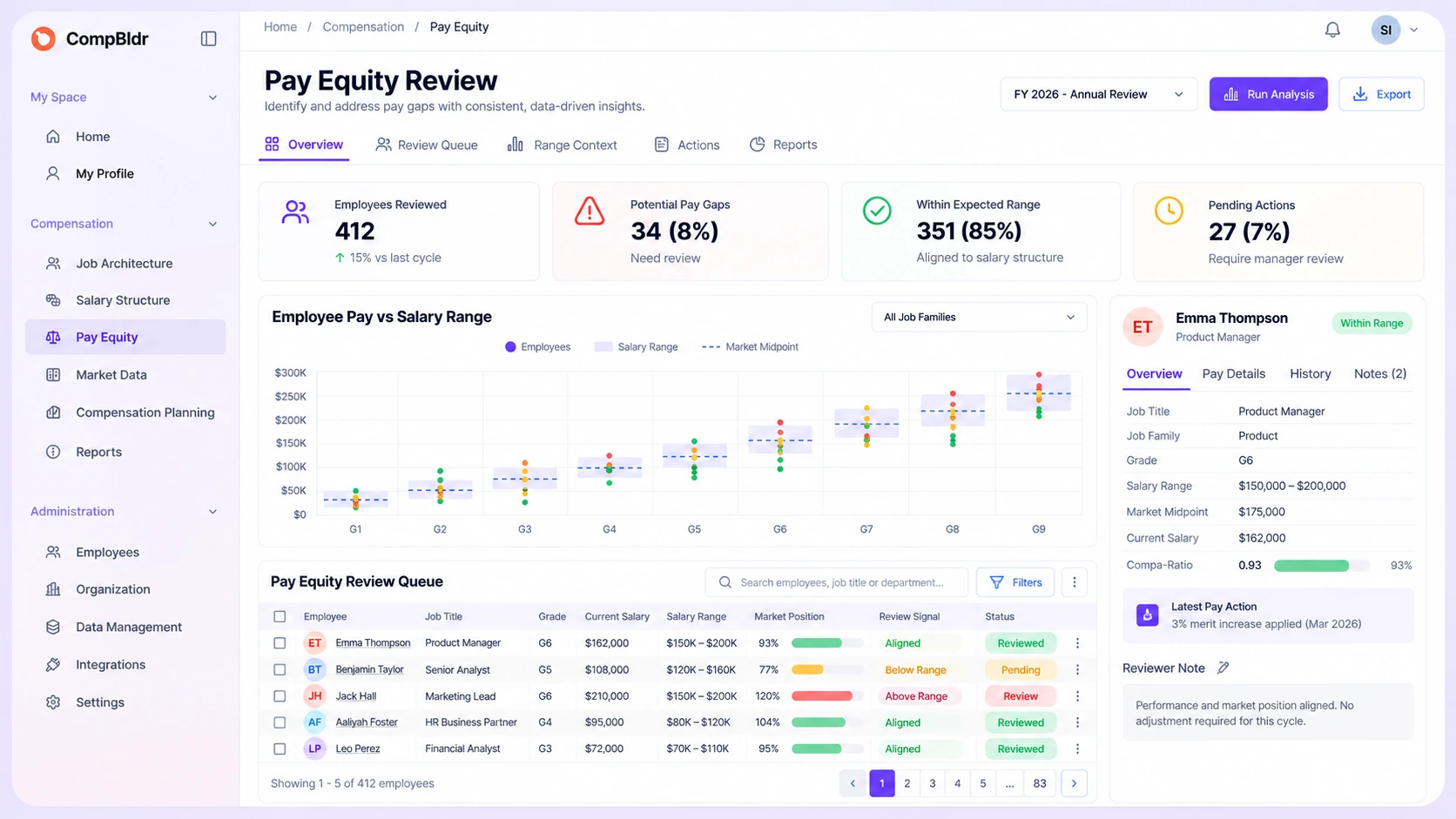
The Break Happens Between the Approved Range and What People See
Pay transparency becomes an operational problem when the range that was approved inside Compensation is separated from the job, grade, effective date, market evidence, and pay workflows that explain and use it. If your team is still defining the operating model, start with What Is Pay Transparency? before deciding what should be disclosed and where.
CompBldr is designed to keep that range, its governing context, and the downstream pay decisions connected.
.svg)
The Range Is Detached From the Job Structure
A posted or communicated range is harder to defend internally when the underlying role, family, level, grade, and range record live somewhere else.

Different Teams Use Different Range Versions
Recruiting, HR, managers, and Compensation can end up using different numbers when range updates are copied manually across spreadsheets, documents, and systems.
.svg)
The Published Range Does Not Reach Pay Decisions
Even when a range is correct at publication, pay planning can drift if the merit cycle, offer review, or manager workflow uses a different range version or effective date.

The Communication Loses Its Effective-Date History
Without version history, teams may know what range is visible today but not which range was approved previously, when it changed, or what compensation records depended on it.
Keep Pay Transparency Inside the Compensation Workflow
Start From Governed Jobs, Grades, and Salary Ranges
Start with the governed role structure: job family, level, grade, job code, evaluated role context, and the salary ranges maintained in Salary Structure Software.
Approve the Current Range and Effective Date
Review and approve the salary range against current market evidence in Market Benchmarking, then confirm the positioning approach and effective date through your organization’s compensation governance process before the range is used in external or internal communication.
Use the Approved Range in Communication Workflows
Use the approved range as the governed reference for job-posting preparation, recruiter and manager guidance, and employee communication. For jurisdiction-specific disclosure requirements, review Pay Transparency Laws by State and confirm the applicable requirements with qualified legal or compliance reviewers.
Carry the Same Range Into Compensation Planning
Keep the same current range available when teams review employee pay, merit recommendations, market adjustments, promotions, offers, budgets, and approval decisions inside Compensation Planning so the communicated range and the pay-decision range stay aligned.
Preserve Changes in a Versioned Record
Preserve the approved range, effective dates, revisions, and related decision history so Compensation Reporting can distinguish the current structure from historical versions.
What CompBldr Adds to a Pay Transparency Workflow
The product value is not a generic compliance checklist. It is keeping salary-range communication connected to the governed compensation records and workflows that produced the range and continue to depend on it.
Trace a Published Range to Governed Job and Grade Records
Review the salary range alongside the job family, level, grade, evaluation, and market context used to govern the role.
.svg)
Keep the approved range, effective date, and relevant explanation together so recruiters, managers, employees, HR, and Compensation are less likely to communicate conflicting versions.
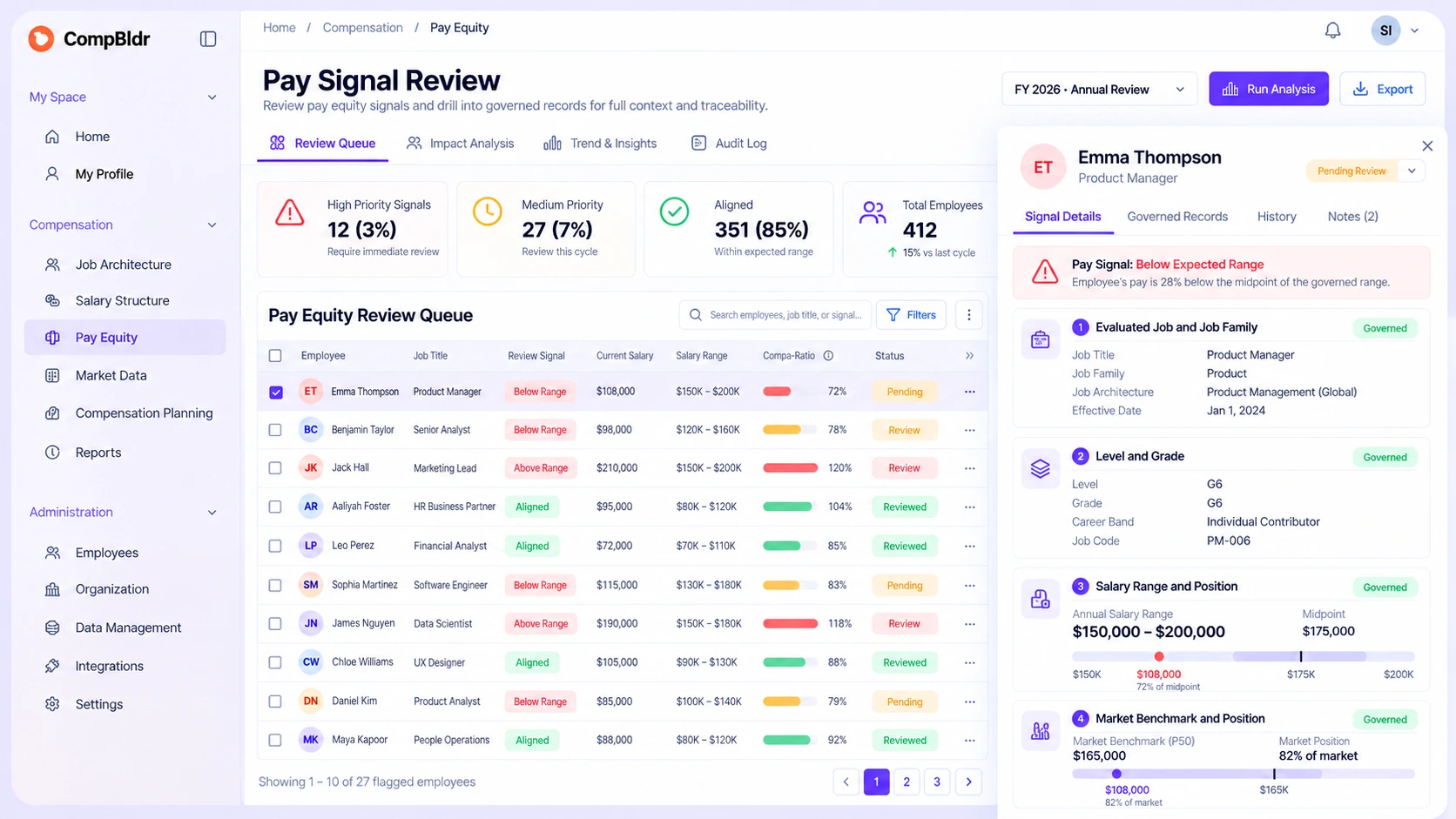
Keep Communication Context Beside the Salary Range
CompBldr keeps salary-range and compensation context connected to the broader workflows that use them, including market benchmarking, planning, analytics, approvals, and reporting.
That connection helps teams use transparency as part of compensation governance rather than treating range publication as a one-time content task disconnected from the pay system.
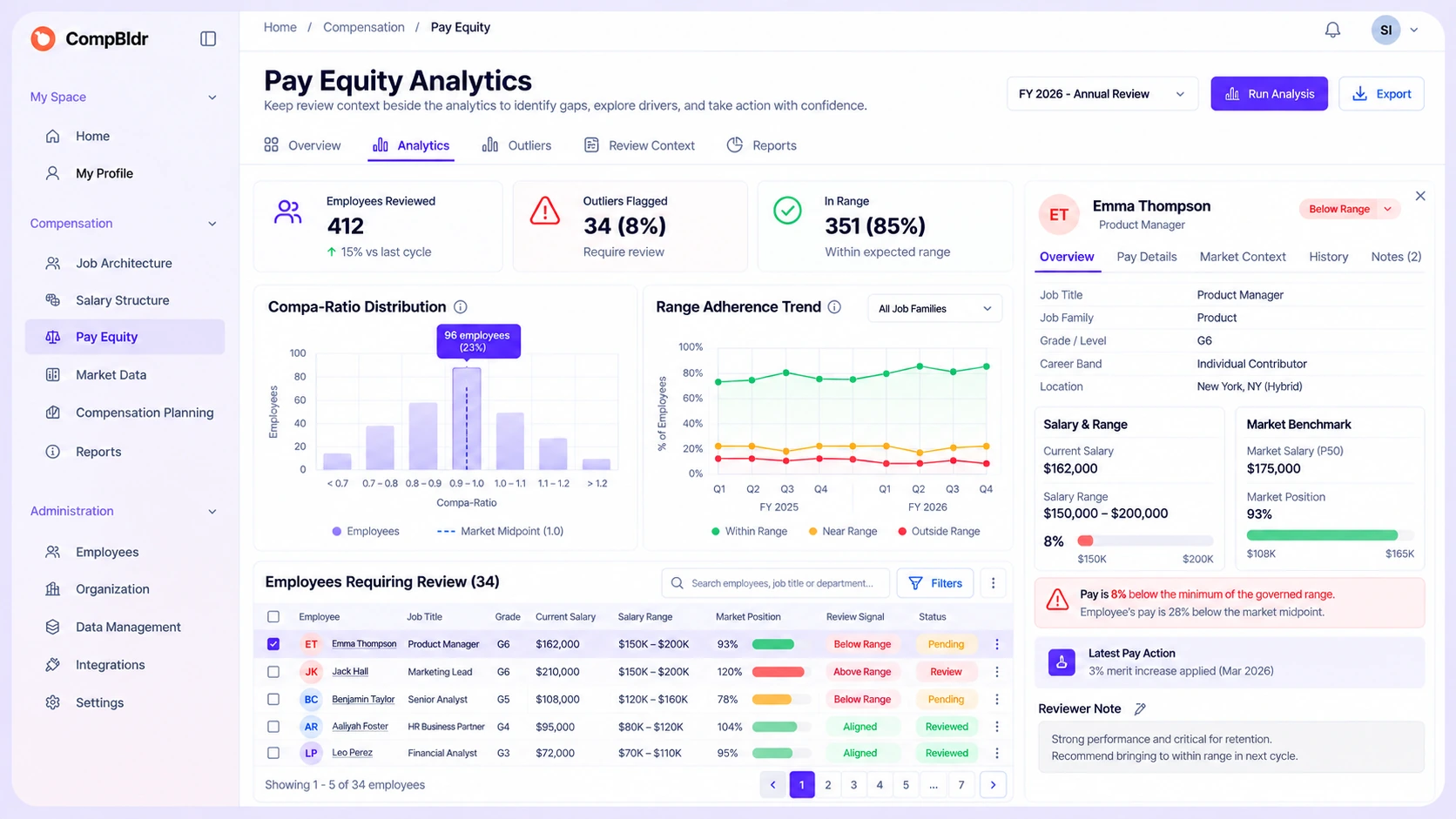
Carry Approved Ranges Into Compensation Decisions
When an approved range changes, carry the updated structure into the workflows that govern employee pay and future compensation decisions.
That continuity helps HR and Finance understand which range was current when a decision was made and what changed afterward.
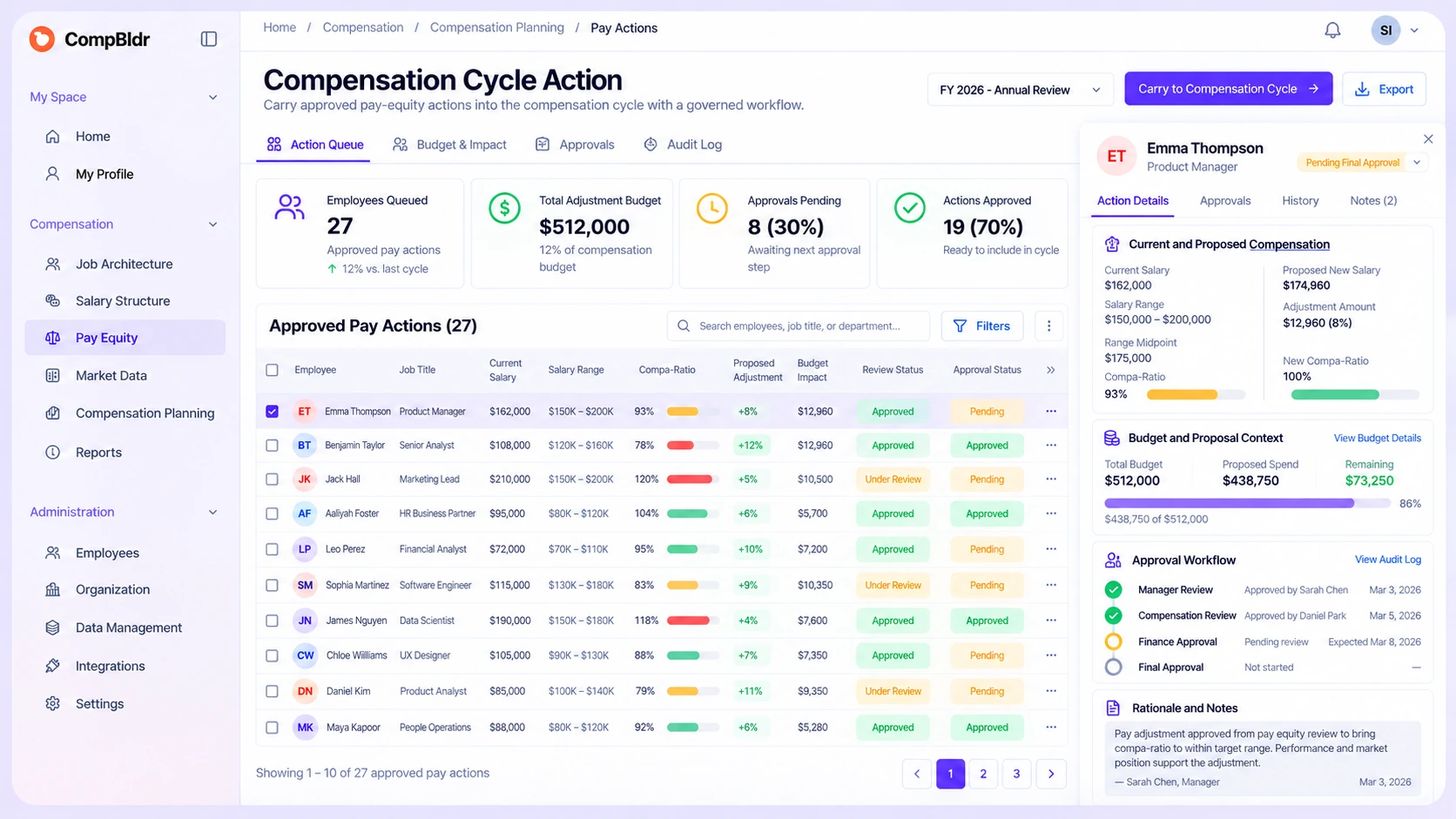
Operate Pay Transparency Without Losing Governance
The important product moment is not simply publishing a salary range. It is keeping the approved range, its effective date, the decision context, and the workflows that use it aligned as compensation changes. Teams operating across jurisdictions should keep that compensation workflow separate from legal interpretation and confirm jurisdiction-specific requirements with qualified legal or compliance reviewers.
Approve the Range
Approve the salary range through the organization’s compensation governance process and preserve the job, grade, market, and effective-date context behind it.
Use the Same Range Across Workflows
Use the same governed range across the compensation workflows where it matters, including planning, manager review, analytics, reporting, and approved communication processes.
Preserve What Changed
Preserve range revisions and decision history so teams can review what was current, when it changed, and which downstream pay decisions were made against each version.
One Pay Transparency Workflow, Powered by
the Compensation System Around It
For teams evaluating pay transparency software, the differentiator is not whether a platform can display a salary range. It is whether the range stays connected to governed job structure, compensation planning, effective dates, communication, and reporting. Use the Pay Transparency Readiness Guide to compare disclosure stages and the operating maturity needed before expanding transparency.
.svg)
Job Architecture
Salary Structure Software
Market Benchmarking

Compensation Planning

Compensation Analytics

Compensation Reporting
Frequently Asked Questions

Pay transparency software helps compensation teams govern the salary ranges and supporting job, grade, market, effective-date, planning, communication, and reporting context used in transparency workflows. CompBldr focuses on keeping those records and decisions connected.

CompBldr keeps salary ranges connected to Job Architecture, Job Evaluation, Market Benchmarking, Compensation Planning, Analytics, and Reporting so the range used for communication can be traced back to the governed compensation structure behind it.
No. CompBldr supports the compensation-data and workflow side of pay transparency. Legal requirements vary by jurisdiction, and legal interpretation, posting obligations, disclosure rules, and compliance determinations require the appropriate qualified review.
Yes. Approved ranges can remain part of the compensation context used during planning, including employee pay position, budgets, proposals, manager review, approvals, and final compensation decisions.
CompBldr can support the governed compensation workflow behind pay transparency: maintaining job and grade context, approved salary ranges, market evidence, effective dates, planning inputs, analytics, decision history, and versioned reporting. Exact communication and publishing processes depend on the organization’s implementation.
Use one governed salary-range record and effective date as the compensation reference, then carry that same approved structure into the organization’s recruiting, manager, employee, planning, and reporting processes instead of maintaining separate range copies.
Yes. Versioned salary-range and compensation records can support reporting on what structure was current, when it changed, and how downstream compensation decisions related to each approved version.
See How CompBldr Keeps Pay Transparency Connected to the Pay Decision
Follow an approved salary range from the governed job and market records behind it into planning, communication, decision history, and versioned reporting.
15-minute walkthrough · See the pay transparency workflow using real product screens


.svg)

.svg)
.svg)

