01
Property Type Changes Job Scope
A front-office manager at a resort may lead a larger team and handle a wider operating scope than the same title at a select-service property.

CompBldr helps hotel compensation teams compare pay across properties, manage market-based salary ranges, and review departmental increases against approved budgets.
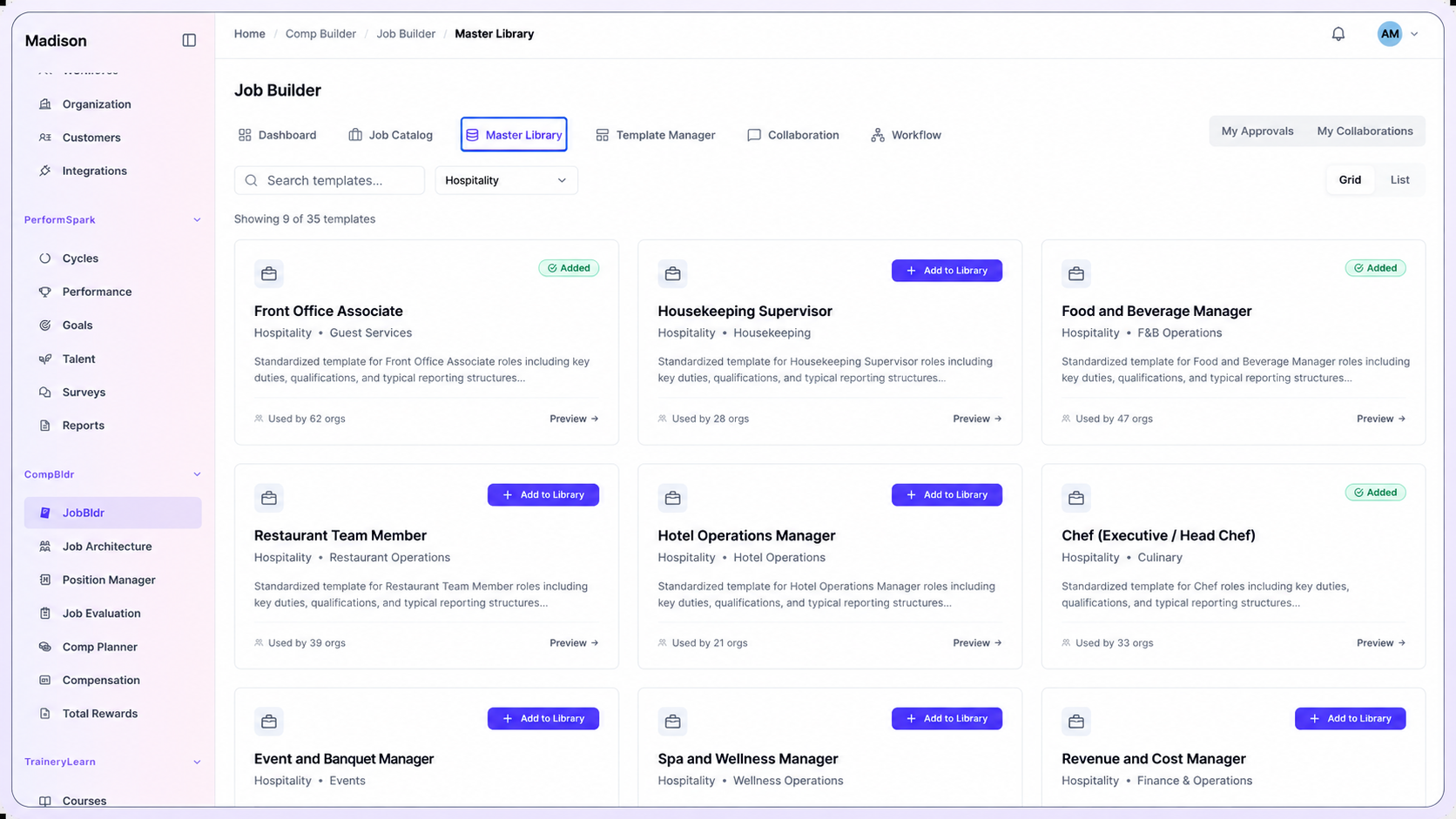
Illustrative example: A resort and a select-service hotel both employ front-office managers, but their teams, decision authority, and service demands may differ. Check the job scope before assigning a shared grade, then use local market evidence to decide whether their pay bands should differ.
A front-office manager at a resort may lead a larger team and handle a wider operating scope than the same title at a select-service property.
Housekeeping, culinary, front desk, engineering, and sales teams may recruit from different talent pools. Match the job and property context before comparing rates.
A seasonal hiring push can expose gaps between the pay offered to candidates and the range approved for a department.
A general manager may propose a pay exception while corporate HR and Finance own guidelines and budgets. Keep the proposal, reason, and decision together.
Connect job descriptions, evaluation, benchmarks, pay ranges, compensation plans, and reward communication across hotel properties, departments, and corporate teams.
Review and version job descriptions for hotel properties, departments, and corporate teams before teams grade or price the roles.
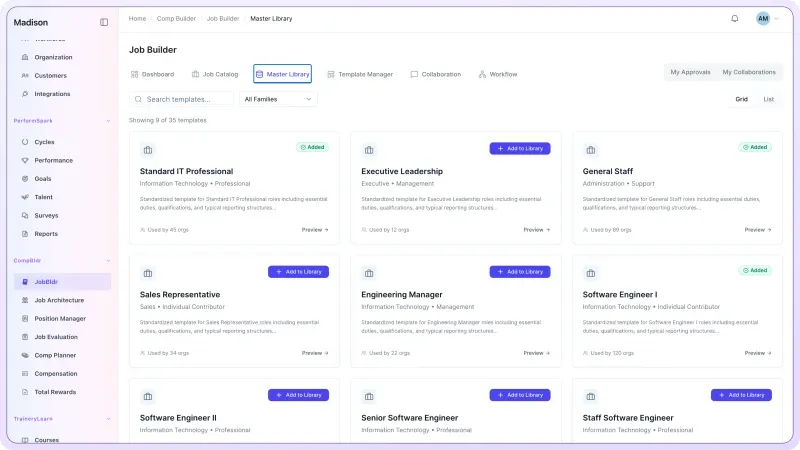
Use Job Architecture to organize roles into job families, levels, grades, and codes. Retain local differences where they reflect a genuinely different job.
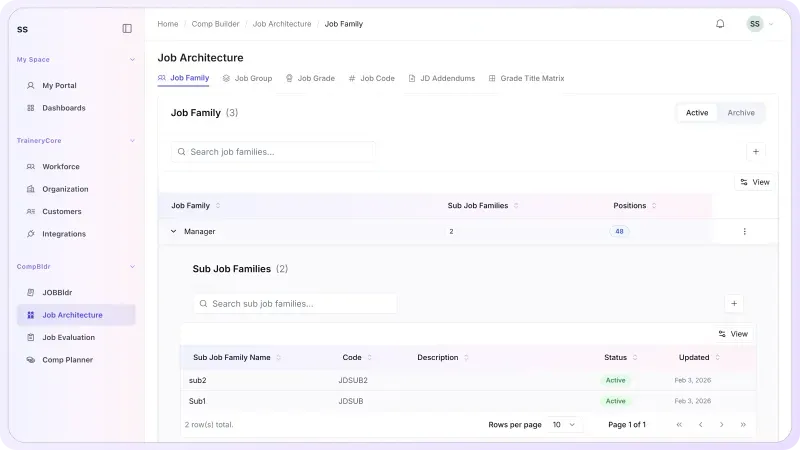
Use Job Evaluation to apply a consistent process, document grade decisions, and preserve the reasoning behind role value before external benchmarking.
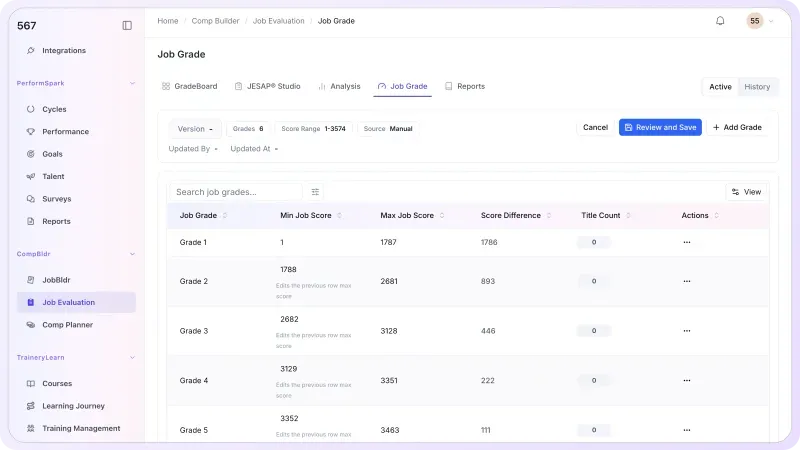
Review property type, comparable department scope, geography, and base-pay definition before selecting a hospitality survey match.
U.S. labor-market reference: The Bureau of Labor Statistics accommodation data (NAICS 721) provide employment and wage context for lodging occupations. They do not replace a job-matched salary survey or property-level market analysis.
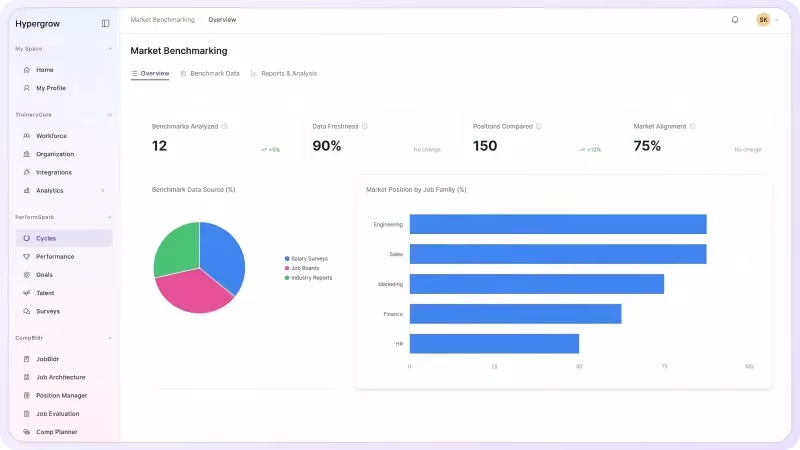
Compare property and department proposals against approved bands, available budget, and the stated reason for any exception.
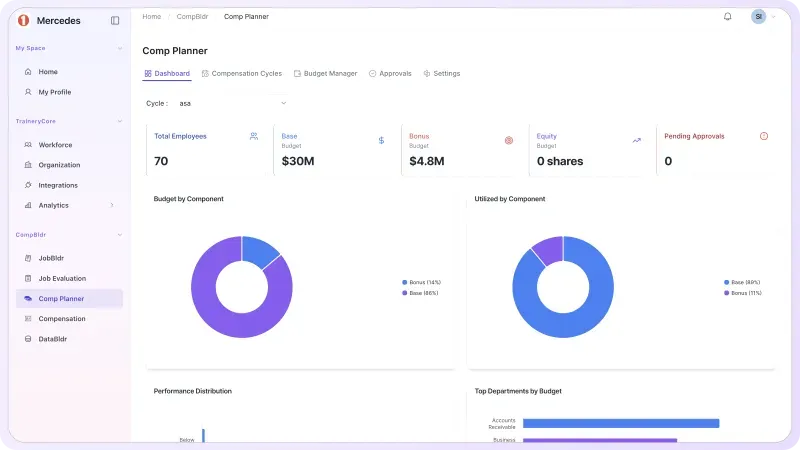
Use Total Rewards Statements to bring approved compensation and benefits information into employee-facing communication with preview, approval, controlled release, and history.

Use the same job, grade, market, and approval evidence to compare decisions across hotel properties, departments, and corporate teams.

Calibrate families and grades for front-office managers, housekeepers, culinary supervisors, and hotel engineers. Use the job leveling matrix template to compare level criteria across locations.

A housekeeping supervisor benchmark is not interchangeable with a front-desk manager rate. Check department size, service model, location, and base-pay definition before selecting the survey match. For more detail, see market pricing methodology.

Connect grades, local market evidence, and salary structures across hotel properties, departments, and corporate teams. Use how to build salary bands to review midpoint, minimum, and maximum decisions.

When a role expands, use the job evaluation workflow to review the requirements and grade evidence before deciding whether to update the benchmark or the salary range.

When seasonal hiring rates rise, compare new offers with incumbent base pay for equivalent property roles. Review grade, range position, tenure, and job scope before treating the difference as potential pay compression. For broader patterns, consider a separate pay-equity review.

Carry approved range, market, and budget inputs into Compensation Planning, then use Compensation Analytics and finalized Compensation Reporting to show the cost and rationale behind approved changes.
Why CompBldr
CompBldr gives Compensation, HR, Finance, and property leaders a shared record across hotel properties, departments, and corporate teams.
Trace the decision from job scope and market match through range, proposal, budget, and approvals.
Keep reviewer, rationale, approval status, and decision history attached to the compensation workflow.
Retain previous grades, benchmark decisions, and final pay actions so reviewers can see what changed across hotel properties, departments, and corporate teams.
Connect supported HR, performance, market, and compensation data through integrations and data exchange.
For access controls and platform safeguards, see CompBldr Security.

Yes. A shared job grade can support comparable internal roles while approved market evidence informs differences by property, geography, or business unit.

Compare department size, service level, supervision, and operating scope before choosing the survey match. A similar job title alone gives little evidence of equivalent responsibility.
Yes. Review role scope, selected sources, geography, and approved market position for each job family. Data availability varies by source and role.
Use Compensation Planning to record manager recommendations, budget context, range position, and the configured approval path. Set which proposals need property or corporate review before opening the cycle.
Compare new-hire and incumbent base pay for comparable roles in the same property market. Use grade, range position, and the hiring context to decide whether a closer review is needed.
CompBldr supports job and pay structures, benchmarking, compensation planning, and approvals. Tips, schedules, attendance, and payroll are administered in the systems that handle those workflows.
Choose one role across two property types and a pending pay exception. Ask to see how the team would document the job match, range, budget impact, and final approval.
Product Demo
Bring one role from two hotel properties. See how CompBldr connects job matching, market evidence, salary bands, and approval decisions.
Book a Demo