01
Similar Titles Hide Different Facility Roles
A warehouse lead in a highly automated fulfillment center may oversee a different workflow, team size, and exception process from a lead at a cross-dock.

CompBldr helps compensation teams align warehouse job grades, benchmark local pay, and review site-level increases against approved ranges and budgets.
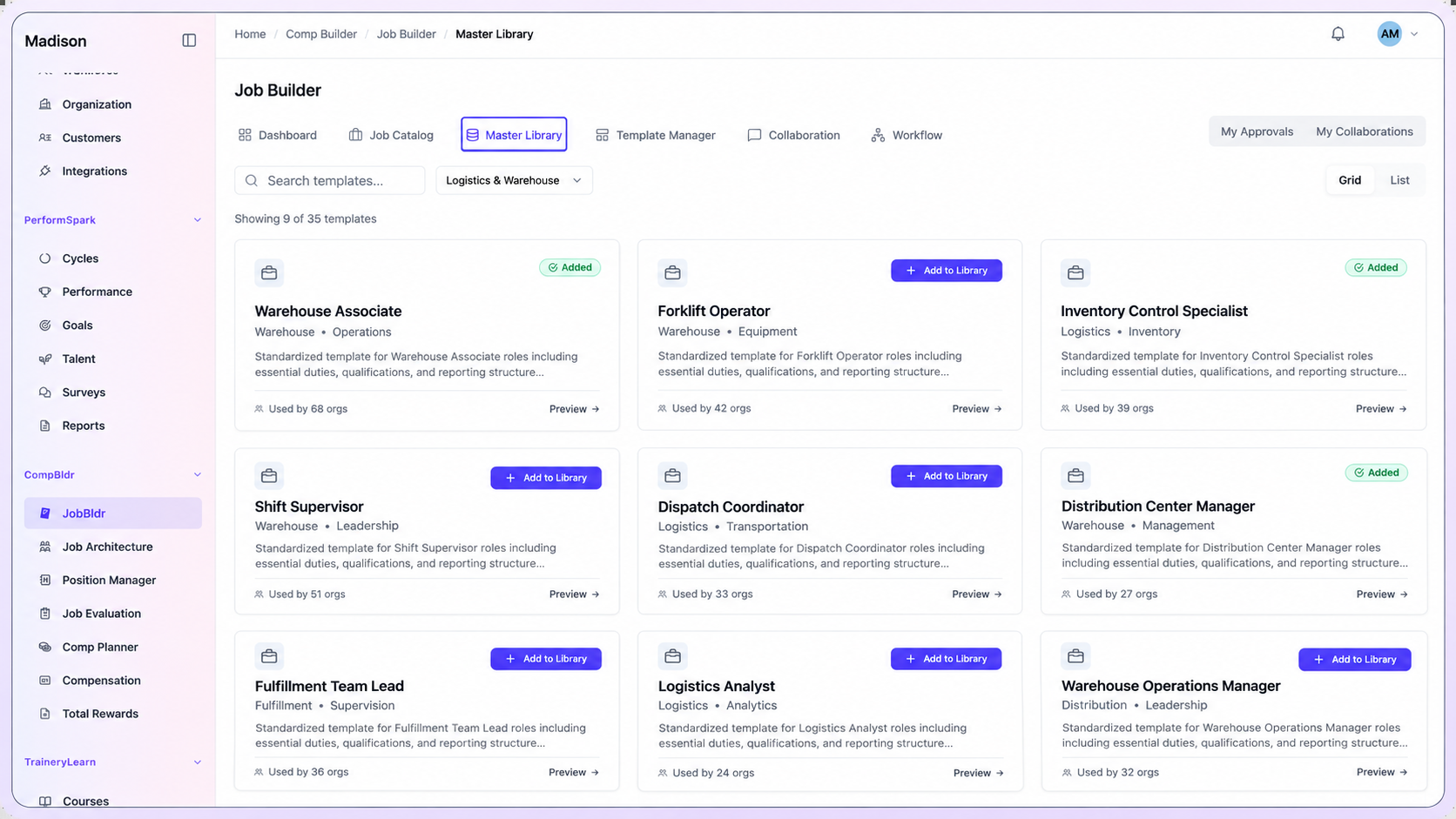
Illustrative scenario: A shift lead at an automated fulfillment center may oversee equipment exceptions and a larger team than a lead at a cross-dock. Before assigning the same grade or pay band, compare the work, supervisory scope, local hiring market, and the proposed budget impact.
A warehouse lead in a highly automated fulfillment center may oversee a different workflow, team size, and exception process from a lead at a cross-dock.
Facilities serving the same network may draw candidates from different commuting areas. Use local market evidence and compare the type of facility before choosing a rate.
Forklift operators, inventory-control specialists, dispatch coordinators, and shift supervisors have different responsibilities. Capture that scope before pricing or grading the role.
When a site raises entry offers, compare existing employees in the same grade and labor market before assuming the new hiring rate should become the network standard.
Connect job descriptions, evaluation, benchmarks, pay ranges, compensation plans, and reward communication across distribution centers, fulfillment operations, and logistics offices.
Review and version job descriptions for distribution centers, fulfillment operations, and logistics offices before teams grade or price the roles.
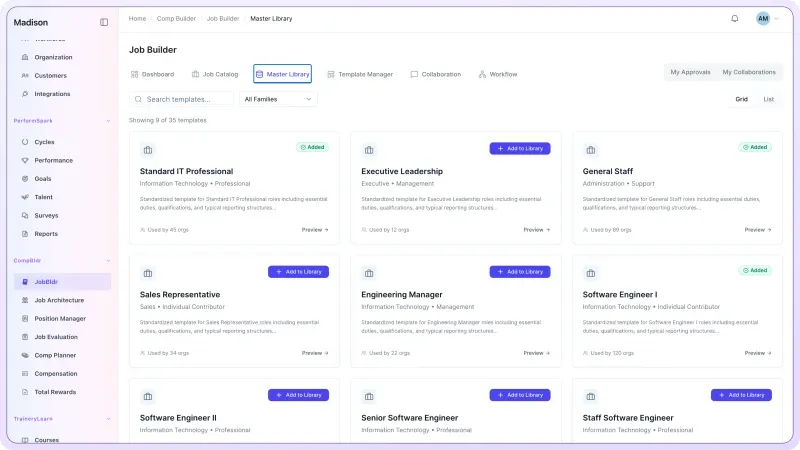
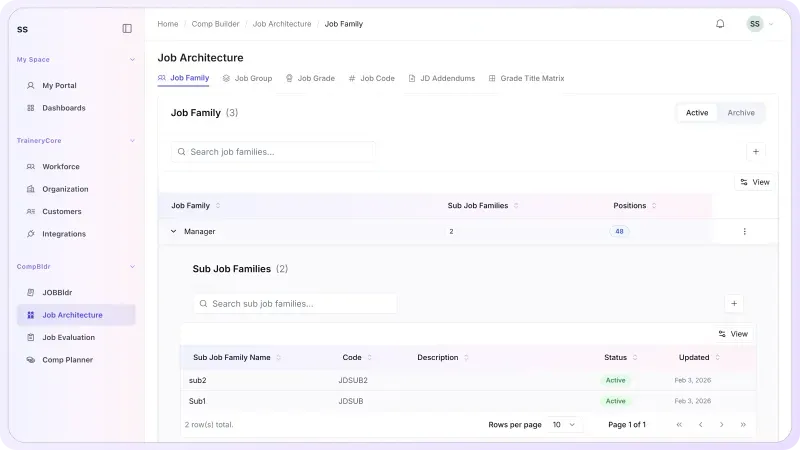
Use Job Architecture to organize roles into job families, levels, grades, and codes. Retain local differences where they reflect a genuinely different job.
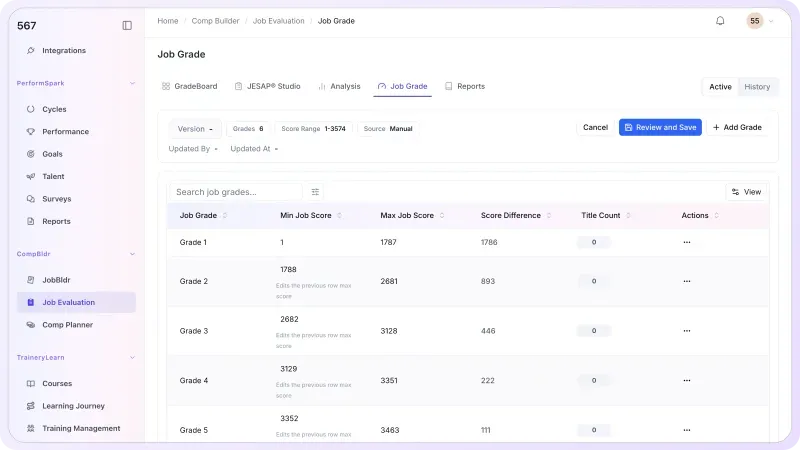
Use Job Evaluation to apply a consistent process, document grade decisions, and preserve the reasoning behind role value before external benchmarking.
Compare job duties, facility type, pay basis, local recruiting geography, and survey population before matching a warehouse role to external wage data.
U.S. labor-market reference: The Bureau of Labor Statistics warehousing and storage data (NAICS 493) show industry employment and occupation-level wage context. These national figures are not a substitute for a local, job-matched compensation survey.
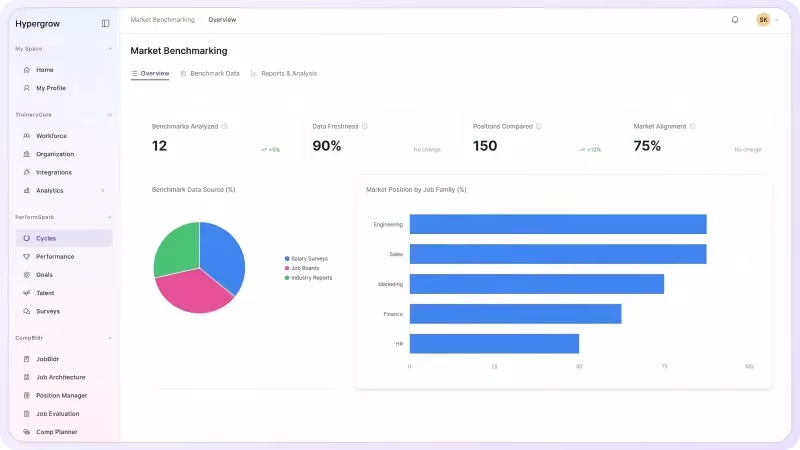
Review proposed increases against site budgets, approved salary ranges, and incumbent pay for comparable roles. Escalate exceptions with the market evidence and rationale attached.
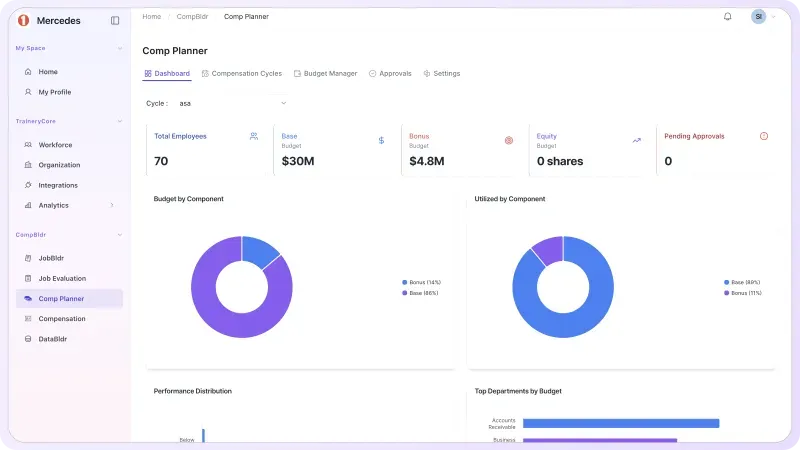
Use Total Rewards Statements to bring approved compensation and benefits information into employee-facing communication with preview, approval, controlled release, and history.

Use the same job, grade, market, and approval evidence to compare decisions across distribution centers, fulfillment operations, and logistics offices.

Calibrate families and grades for warehouse associates, inventory leads, dispatch coordinators, and distribution supervisors. Use the job leveling matrix template to compare level criteria across locations.

Review local labor markets, facility type, comparable job scope, and pay basis before selecting distribution survey matches. The market pricing methodology provides a step-by-step reference.

Connect grades, local market evidence, and salary structures across distribution centers, fulfillment operations, and logistics offices. Use how to build salary bands to review midpoint, minimum, and maximum decisions.

When a role expands, use the job evaluation workflow to review the requirements and grade evidence before deciding whether to update the benchmark or the salary range.

Review employee pay, market evidence, grade, and range position when pay compression is suspected. Use pay-equity review when broader pay relationships need investigation.

Carry approved range, market, and budget inputs into Compensation Planning, then use Compensation Analytics and finalized Compensation Reporting to show the cost and rationale behind approved changes.
Why CompBldr
CompBldr gives Compensation, HR, Finance, and distribution leaders a shared record across distribution centers, fulfillment operations, and logistics offices.
Trace the decision from job scope and market match through range, proposal, budget, and approvals.
Keep reviewer, rationale, approval status, and decision history attached to the compensation workflow.
Retain previous grades, benchmark decisions, and final pay actions so reviewers can see what changed across distribution centers, fulfillment operations, and logistics offices.
Connect supported HR, performance, market, and compensation data through integrations and data exchange.
For access controls and platform safeguards, see CompBldr Security.

Yes. Use common job families, levels, and grades for comparable roles. Capture differences in equipment responsibility, supervision, and facility scope before placing a role in a grade.

Start with approved job scope and comparable survey data. Document the geography, match quality, pay basis, and target position separately for each market.
Salary structures can be organized by geography or business unit. Keep each range attached to the approved grade and the market reference used to support it.
Review pay rates, grade, range position, and market context for comparable employees. Use the results to decide which pay relationships need investigation before requesting adjustments.
Compensation Planning supports manager recommendations, budget and range context, and configured approvals. Review the proposed action, cost, and rationale in the same cycle.
CompBldr supports compensation structures, market pricing, planning, and approvals. Time records, scheduling, overtime, and payroll calculations belong in the applicable operational systems.
Bring two site-level job descriptions for one grade, the current bands, and a proposed market adjustment. Ask to trace the market comparison, budget effect, and approval history.
Product Demo
Bring one inventory lead role from two distribution centers. See how CompBldr connects job scope, local market benchmarks, salary bands, and approval decisions.
Book a Demo