

.svg)





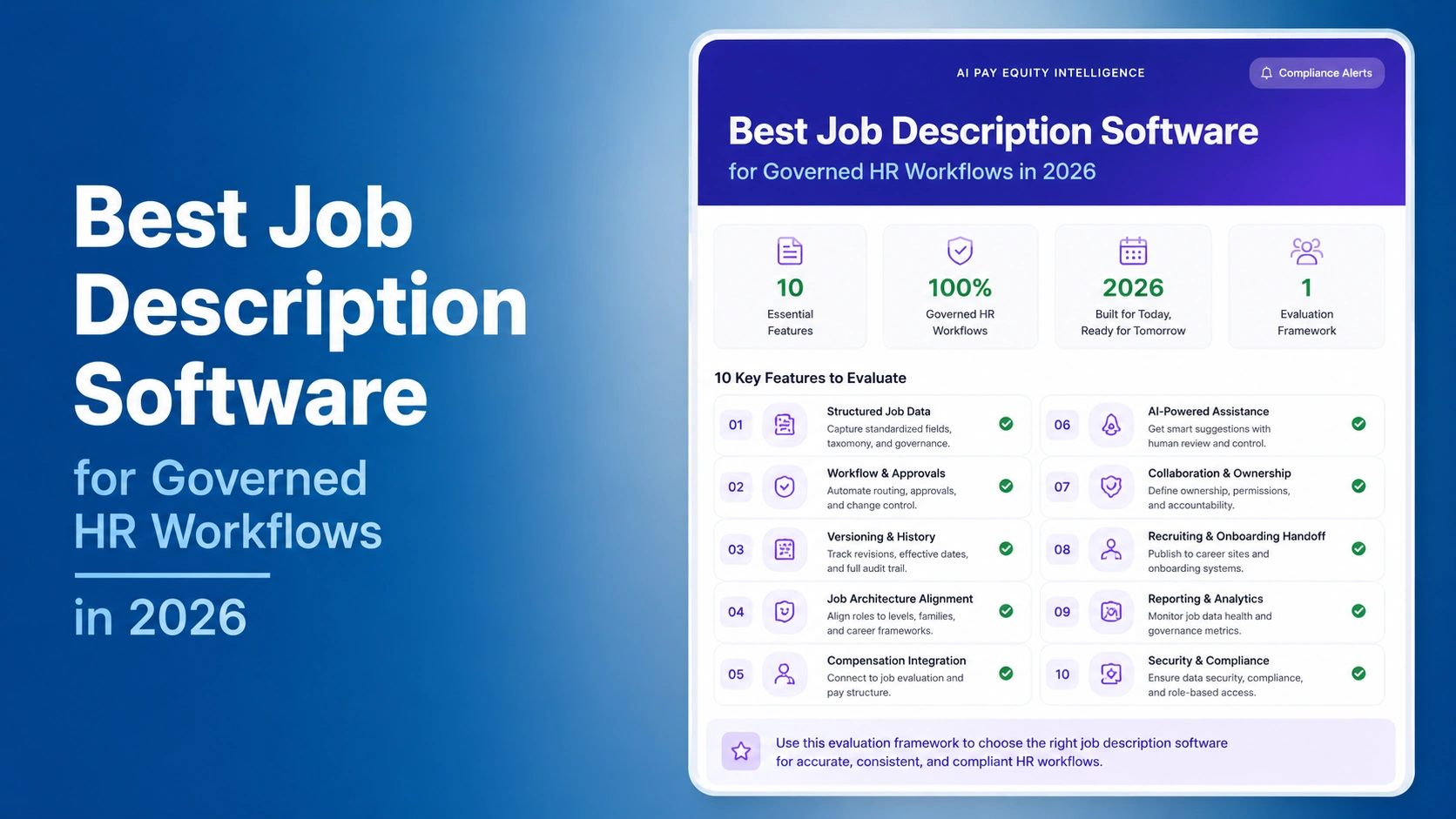

The best job description software for a compensation or HR team is not merely a writing assistant. It is a governed system for creating, approving, versioning, connecting, and reusing job information across recruiting, job architecture, evaluation, pay decisions, and employee communication.
This comparison examines eight platforms for different buying situations: CompBldr, JDXpert, Ongig, Textio, DataPeople, BLR Job Description Manager, RoleMapper, and Scout Talent. The selection is based on public product information available on August 15, 2026. It is not a hands-on test, paid ranking, or claim that one platform is best for every organization.
Product features, pricing, integrations, implementation services, and AI capabilities can change. Buyers should verify every requirement with the vendor, review current documentation and contract terms, and run the same demonstration scenario with each finalist.
What Job Description Software Should Do
Job description software can serve three different jobs. Some tools help improve wording and candidate-facing content. Some provide a controlled repository and approval process. Others connect job information to architecture, evaluation, benchmarking, and compensation. Buyers should decide which problem they are solving before comparing feature lists.
A governed workflow starts with a structured role record, not an isolated document. The record should identify ownership, job family, level, responsibilities, qualifications, approval status, effective date, and revision history. It should also support downstream work such as job architecture, job evaluation, and market benchmarking. Teams still defining the basic process can use the guide to write a job description that maps to a grade structure.
How We Compared the Platforms
We reviewed current official vendor pages and evaluated each platform against seven dimensions: structured content, drafting assistance, approvals and permissions, version history, job architecture and compensation connections, integrations and data portability, and accountable human oversight. We also considered whether the product primarily supports recruiting content, enterprise job information governance, or connected compensation work.
The distinctive test is the job-record handoff. A buyer should be able to create or revise one role, route it for review, approve a dated version, connect it to a family and level, use it in evaluation or market matching, send appropriate content to recruiting, and later explain who changed what. A platform that performs only the first step may be useful, but it should not be mistaken for a system of record.
Job Description Software Comparison
| Platform | Documented focus | Potential fit | Verify before buying |
|---|---|---|---|
| CompBldr | Governed job descriptions connected to architecture, evaluation, benchmarking, and planning | Compensation and HR teams seeking connected job and pay decisions | Required integrations, migration scope, configuration, and current terms |
| JDXpert | Enterprise job information management and synchronization | Organizations treating job data as a governed enterprise asset | Implementation model, content sources, integration details, and admin ownership |
| Ongig | Job description creation, analysis, templates, workflows, and content management | Recruiting and HR teams prioritizing writing quality and scalable content operations | Governance depth, architecture connections, plan limits, and current pricing |
| Textio | Language guidance and recruiting-content optimization | Teams focused on the quality and consistency of candidate-facing content | Repository, approval, versioning, and compensation-workflow requirements |
| DataPeople | Recruiting language and job-posting guidance | Talent acquisition teams seeking structured writing support | Job-system-of-record scope, integrations, controls, and data portability |
| BLR Job Description Manager | Job description content, templates, and management resources | HR teams seeking practical description management and reference content | Workflow, version controls, integrations, and content licensing |
| RoleMapper | Job description and job-data workflow with skills and role structure | Organizations connecting role content with workforce architecture | Configuration, data model, implementation services, and export options |
| Scout Talent | AI-assisted job description creation within recruitment operations | Recruiting teams seeking drafting support near hiring workflows | Human review, governance, repository depth, and downstream HR connections |
Potential fit is a reason to investigate, not a recommendation. The table summarizes publicly documented positioning and does not establish feature parity. Ask each vendor to demonstrate the same job-record handoff with your roles, approval rules, integrations, and reporting questions.
Eight Platforms to Evaluate
1. CompBldr: Best Fit for Connected Job and Compensation Governance
CompBldr’s documented job description management software workflow sits beside job architecture, evaluation, benchmarking, planning, and total rewards. This connected model may fit compensation and HR teams that need job content to inform grade placement and pay decisions rather than remain in a separate document library.
The main buying question is scope. A recruiting team seeking only candidate-facing language guidance may not need a broader compensation platform. A compensation team that needs structured role records, approvals, downstream handoffs, and reporting should test whether the connected workflow reduces duplicate entry. Review the difference between a job description and a posting in the job description versus job posting guide.
2. JDXpert: Best Fit for Enterprise Job Information Management
JDXpert describes its platform as a system for governing and synchronizing job information across the HR technology stack. Its official materials emphasize structured job data, standardization, workflow, and integration. See the JDXpert platform overview.
This orientation may suit a complex organization that treats job information as an enterprise data asset. Buyers should confirm implementation responsibilities, content and taxonomy sources, permission design, integration behavior, change controls, and the resources required to operate the system after launch.
3. Ongig: Best Fit for Job Content Quality and Workflow
Ongig documents job-description creation, language analysis, templates, collaboration, approvals, revision history, and integrations. Its official job description software page explains the current product focus.
Ongig may fit teams managing a large volume of recruiting and job-description content. Buyers should distinguish content optimization from compensation governance. Ask how approved job content connects to families, levels, evaluation, salary structures, and the system of record.
4. Textio: Best Fit for Recruiting Language Guidance
Textio’s official materials focus on language guidance for recruiting and workplace communication. This can be relevant when the primary task is improving the clarity and consistency of candidate-facing content. Review the Textio platform information for its current scope.
Do not assume a writing tool is also a governed job repository. Demonstrate approvals, effective dates, version comparisons, permissions, exports, and connections to job architecture before placing it in that role.
5. DataPeople: Best Fit for Structured Recruiting Guidance
DataPeople publishes guidance about job-description and recruiting-content quality. Its documented focus may appeal to talent acquisition teams seeking help with consistent, understandable postings. Review DataPeople’s official site for the current product and service scope.
A compensation buyer should verify how content moves from recruiting into a governed internal role record. Ask about approvals, job identifiers, version history, data export, integrations, and the distinction between a posting recommendation and an approved job requirement.
6. BLR Job Description Manager: Best Fit for HR Content Resources
BLR offers job-description management and HR content resources. The official Job Description Manager page is the appropriate source for current capabilities and terms.
This option may fit teams that value templates and practical HR content. Buyers should test collaborative workflow, permissions, version control, content licensing, integration routes, and whether approved descriptions can connect to the organization’s job architecture and compensation data.
7. RoleMapper: Best Fit for Role Structure and Skills Context
RoleMapper describes software for job descriptions, role structure, and related workforce data. That direction may suit organizations seeking to connect content with roles and skills. See the RoleMapper official site for current documentation.
Ask the vendor to demonstrate one difficult role from import through approval and downstream use. Confirm the data model, taxonomy ownership, human review, versioning, integration behavior, exports, and implementation services.
8. Scout Talent: Best Fit for Recruiting-Adjacent Drafting
Scout Talent documents AI-assisted job description capabilities within recruitment software. This may fit teams that want drafting support close to the hiring workflow. Review the official Scout Talent job description software page.
Buyers should test how generated text is reviewed and approved, what source data is used, whether prompts or outputs are retained, and how the final record connects to internal job governance. Drafting speed should not replace accountable validation of role requirements.
10 Capabilities That Matter More Than a Generator
1. Structured fields. Separate responsibilities, qualifications, level, location, job family, approvals, and effective dates so teams can govern and report on the information.
2. Templates with controlled variation. Standard sections should coexist with role-specific content. Test whether local edits remain visible and reviewable.
3. Approval workflow. Route changes to the correct HR, compensation, legal, recruiting, and business stakeholders without relying on email attachments.
4. Version history. Retain the prior approved version, author, reason, date, reviewer, and effective status. This is central to the compensation governance platform model.
5. Job architecture connection. A description should connect to an owned family, level, and job code. The job leveling framework guide explains why level definitions need consistent scope and accountability criteria.
6. Evaluation handoff. The approved job record should support consistent analysis of role requirements. Buyers can compare approaches in the job evaluation methods comparison and the JESAP® framework.
7. Benchmarking context. Title similarity is not enough for market matching. Retain role scope, level, responsibilities, geography, and selected source. The compensation benchmarking software guide provides a deeper evaluation framework.
8. Integrations and identifiers. Test one new role, revision, manager request, ATS handoff, HRIS sync, and archive. Confirm source-of-truth rules and error ownership. If Workday is in scope, review the documented CompBldr and Workday integration workflow.
9. Reporting and audit access. Authorized users should be able to answer which roles are overdue for review, which versions are approved, which fields changed, and how records connect to structures. Compare those needs with compensation reporting.
10. Responsible AI controls. Generated wording and suggested matches require qualified human review. Ask what data is processed, how outputs are explained, what can be corrected, what is logged, and who approves the final role record. Review the organization’s process against the NIST AI Risk Management Framework.
A Vendor Demonstration Scenario
Give every finalist the same scenario: a product role has outdated responsibilities, the manager requests a change, compensation believes the scope may affect level placement, recruiting needs an updated posting, and finance wants to understand downstream pay impact.
Ask the vendor to import the current record, propose edits, show automated suggestions without accepting them blindly, collect stakeholder input, approve a dated version, retain the prior version, connect the role to a family and level, initiate an evaluation review, prepare recruiting content, and produce a change report. Then ask the presenter to reverse one incorrect edit and explain the audit trail.
Score the experience for each actor and record all manual handoffs. A credible demonstration should show the real product and acknowledge configuration limits. Verify integration claims, content licenses, security controls, service commitments, implementation work, support, and commercial terms in current written documentation.
Common Buying Mistakes
Buying a generator when the problem is governance. Fast drafting does not solve ownership, approvals, version history, job codes, or downstream compensation decisions.
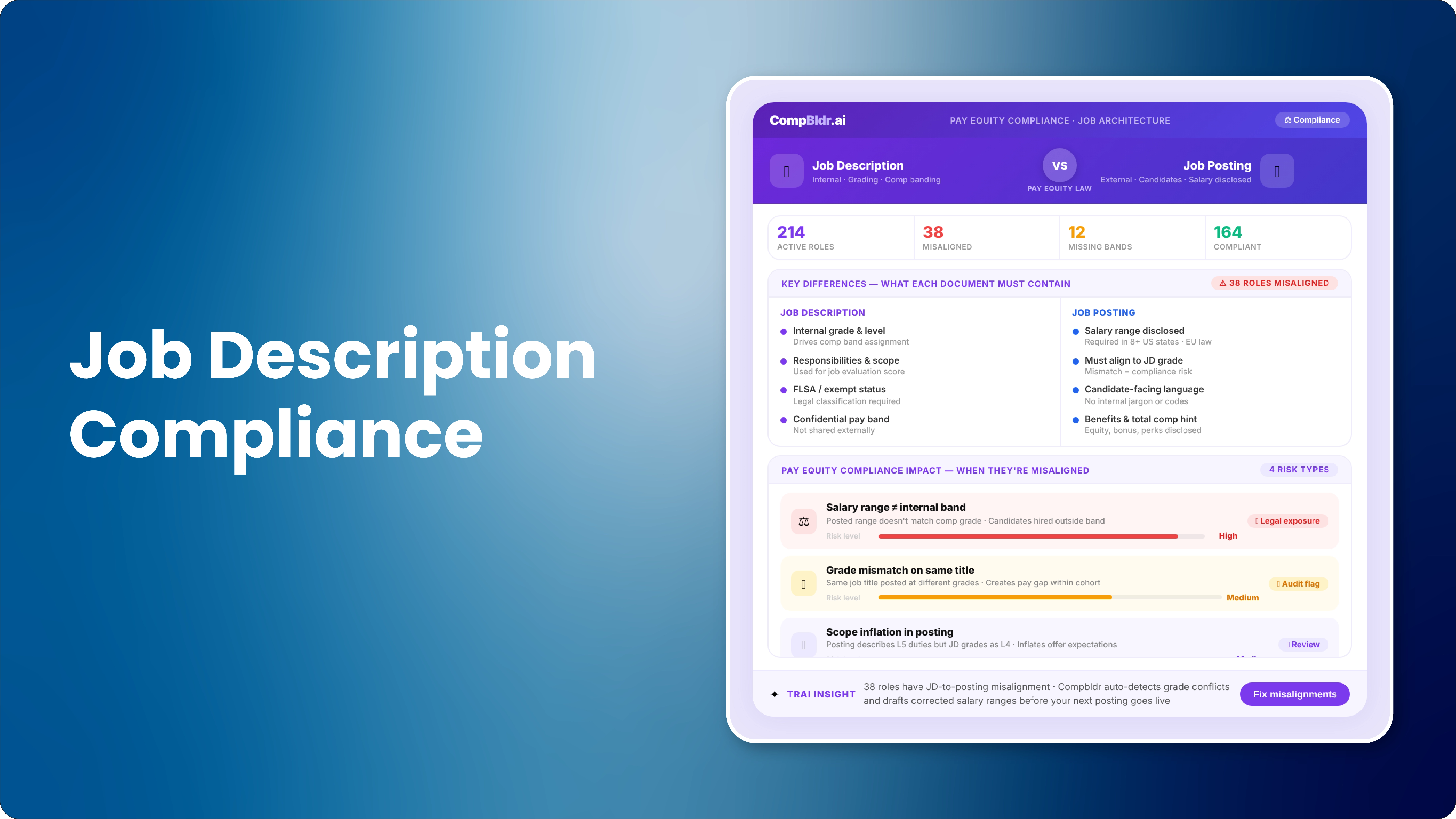
Treating postings and job descriptions as identical. Candidate-facing content and the governed internal role record overlap, but they serve different purposes and audiences.
Ignoring architecture. A library of documents remains difficult to use when roles are not connected to families, levels, grades, and codes. The job architecture guide explains those relationships.
Accepting AI output without accountable review. Suggestions can be incomplete, inaccurate, or inappropriate for the organization. Maintain named ownership and a documented approval.
Skipping downstream testing. A clean description should improve evaluation, benchmarking, compensation planning, and total rewards communication. Test those handoffs rather than assuming them.
Choose the Category Before the Vendor
The job description software market includes writing tools, recruiting-content platforms, document repositories, enterprise job information systems, and connected compensation platforms. A fair shortlist begins by naming the buyer task and canonical owner.
If the task is governed job and compensation data, test how each platform carries an approved role record through architecture, evaluation, benchmarking, planning, and reporting. If the task is candidate-facing language, prioritize writing guidance and recruiting workflow. Some organizations need both, but they should not assume that one product category automatically replaces the other.


.svg)

.svg)
.svg)

