

.svg)






A Finance leader authorizes a $120,000 annual merit pool. Two weeks later, managers have proposed $108,000 in increases. One large exception is still in email, another recommendation has been revised twice, and HR cannot explain whether either amount is included in the committed budget. The problem is not the absence of a dashboard. It is uncertainty over who may approve a pay decision and when it counts against an allocation.
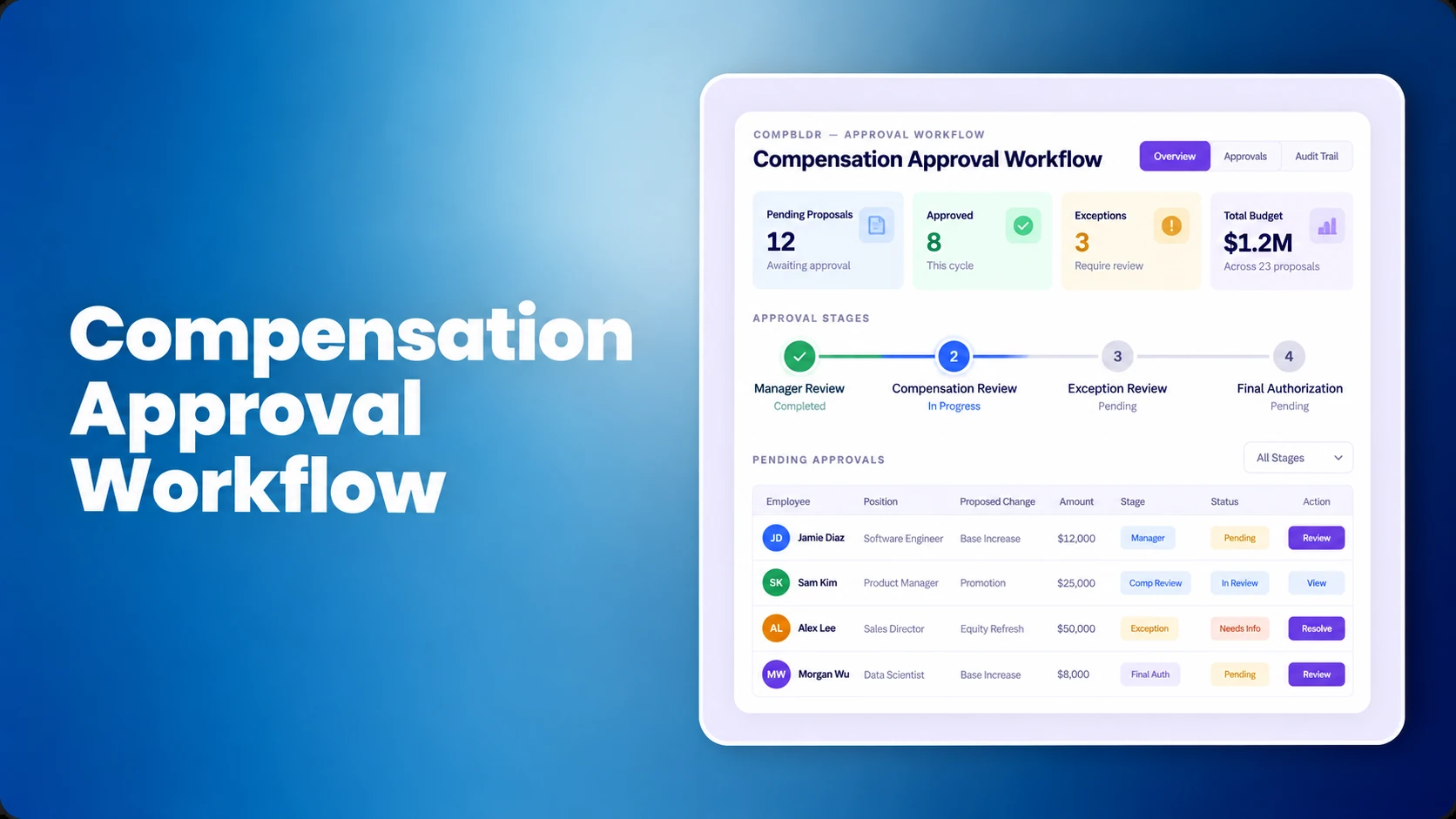
Compensation approval workflow software brings proposals, policy checks, approval authority, budget visibility, and the decision record together. The buying question is what happens when a real request goes wrong. Buyers comparing salary increase approval software should test the difficult exception before reviewing convenience features. The following eight practical tests focus on approval mechanics, not the broader feature review in our software buyer's checklist or the full cycle described in the merit automation guide.
What is compensation approval workflow software?
It is a governed process for routing proposed merit increases, promotion adjustments, market corrections, and other pay actions through authorized reviewers before an amount is finalized. Effective software identifies the relevant policy, routes exceptions, shows the cost consequence, and retains who recommended, revised, and approved each decision. That makes it more specific than replacing compensation spreadsheets with an online form. In a dedicated compensation planning workflow, the value comes from controls that operate while recommendations are still being made.
Prepare one realistic dataset for every product demonstration
Give each vendor the same fictional employee file and reporting hierarchy. Define two business units, an annualized budget, salary grades, a normal merit guideline and a higher approval threshold. Make sure the roles are mapped through an approved job architecture and job evaluation method before the demonstration. A disputed grade should not be mistaken for a software defect.
| Employee | Proposed action | What the demo must reveal |
|---|---|---|
| A | 3% routine merit increase | Standard manager routing |
| B | 7% increase against a 5% limit | Exception approval and rationale |
| C | Increase exceeding remaining budget | Finance escalation |
| D | Promotion plus merit in the same cycle | Separate pay-action treatment |
| E | Salary moving above range maximum | Salary structure exception review |
| F | Department transfer during review | Correct approver and budget owner |
All salaries, percentages and thresholds are illustrative, not recommended compensation policy.
Test 1: Does approval routing change when a proposal crosses a threshold?
Configure an illustrative manager authority limit of 5%. Submit a 7% increase, reduce it to 4.5%, then restore it to 7%. Ask the vendor to show how the approval path changes and whether any previous authorization must be repeated after the amount changes. The reviewer should see the recommendation, salary context, policy rule and manager rationale.
Where increases follow a merit matrix, ask the vendor to display the matrix recommendation alongside the manager's request. If the increase is partly justified by pay position, the correct compa-ratio must come from the approved grade and effective salary midpoint. A merit approval workflow is inadequate if a manager can finalize an amount exceeding the configured limit without the extra reviewer. Multi-level compensation approvals should change when a recommendation crosses a threshold, rather than relying on a single fixed chain.
Evidence to request: the actual triggered rule, assigned approver, resubmission behavior, and a blocked unauthorized finalization attempt. A static reporting-line chain is not the same as conditional approval routing.
Test 2: Can HR review an out-of-guideline salary request?
An employee earns $100,000 annually. Under the example guideline, a 5% increase adds $5,000. The manager requests 7%, adding $7,000 and creating a $2,000 exception above the guideline.
| Illustrative amount | Value |
|---|---|
| Current salary | $100,000 |
| Normal 5% increase | $5,000 |
| Proposed 7% increase | $7,000 |
| Incremental exception | $2,000 |
| Proposed new salary | $107,000 |
Make the manager enter a reason, identify the action type and provide supporting information. A retention exception, a market adjustment rather than merit, and a promotion may require different evidence or funding. HR may need market pay data, range-position measures, and review of any pay compression risk before approving.
Check whether an override needs additional authorization, whether the proposed salary crosses a range boundary, and whether reviewers can recover the final reason. The system fails this test if a manager can bypass the exception note or silently replace the previous recommendation.
Test 3: What happens when the reviewer returns a proposal?
Have HR return Employee B's 7% increase for missing evidence. The manager resubmits at 5.5% with supporting information. Ask an uninvolved reviewer to recover the original 7% proposal, the return comment, the updated amount, the resubmission time, and the eventual authorized decision.
Returned, declined and approved are distinct states. The vendor should explain when a revised amount invalidates previous sign-offs and how the request finds its next approver. This matters during manager preparation for merit season, because an unclear status often becomes a separate email chase. A system that overwrites an old number may show a final salary but cannot reconstruct the decision process.
Test 4: Can Finance reconcile the budget by workflow state?
Start with a $120,000 annualized increase budget. Assume the following values are mutually exclusive. They represent pay increases, not total payroll.
| Workflow state | Annualized increase | Budget meaning |
|---|---|---|
| Draft | $25,000 | May or may not reserve funds |
| Submitted, awaiting review | $30,000 | Pending commitment |
| Approved, not finalized | $45,000 | Approved commitment |
| Finalized | $10,000 | Completed decision |
Approved and finalized increases total $55,000. If no submitted proposal reserves funds, the remaining figure before draft proposals is $65,000. If submitted proposals reserve funds, the available balance is $35,000. The policy determines which figure is correct. Ask Finance to reject a pending $7,000 request and resubmit it for $6,000, then see whether each balance updates predictably.
Inspect whether the software distinguishes annualized from in-year costs when effective dates differ, and whether departments can transfer allocations under approved rules. Compare the results with the team's dashboard metric definitions and compensation analytics. A number labeled “budget left” is not defensible without its inclusion rules.
Keep Approval Rules and Budgets Connected
See how CompBldr Compensation Planning connects manager recommendations, budget visibility and pay-exception routing in one governed review process.
Test 5: Does the workflow survive a transfer and delegated approval?
Transfer Employee F to another department after a recommendation has entered the queue. Put the original manager on leave, then delegate the review to an authorized replacement. Ask which organizational snapshot controls the pending request, who owns its budget, and whether the former approver's link remains valid.
Employee and reporting data may originate in the HRIS. Verify source ownership, synchronization frequency, and mismatch handling in the HRIS integration. A robust demonstration shows how an out-of-date manager assignment becomes visible instead of silently sending sensitive pay information to the wrong person. HR and Finance approval routing should follow a defined policy even when the org chart changes mid-cycle.
Test 6: Can each reviewer see only authorized salary data?
Run the same request using test accounts for a manager, department leader, Compensation analyst, Finance reviewer and executive delegate. Test both what each person can see and what they cannot change.
| Role | Permitted example | Must not be allowed |
|---|---|---|
| Manager | Own eligible team | Unrelated department salaries |
| Department approver | Authorized proposals | Changing enterprise policy |
| Compensation analyst | Pay-range and exception context | Unauthorized final approval |
| Finance reviewer | Relevant spend and budget | Unnecessary employee data |
| Executive delegate | Assigned escalations | All unrelated employee records |
If access or approval thresholds vary by grade, confirm the meaning of job grades and job levels. Ask the vendor to demonstrate an access-denied case. A settings screenshot cannot prove restricted access works after delegation or a department transfer.
Test 7: Can a pay equity concern pause an approval appropriately?
Propose materially different increases for two employees in apparently comparable roles. Ask the system to surface the difference for review and, where policy requires, hold an affected approval. An observed gap is a signal, not proof of discrimination. The Compensation team must confirm job comparability, data completeness, relevant explanatory factors and the appropriate analysis method.
Link this test to the organization's pay equity audit methodology and its pay equity analysis tools. Make the vendor show the underlying comparison group, why a request was flagged, who resolved it, and where the conclusion is recorded. Post-cycle reporting alone does not establish that a proposed increase can be reviewed before authorization.
Test 8: Can Finance reconstruct the final decision months later?
Six months after the test cycle, ask a new reviewer to explain why Employee B received the eventual salary change. They should be able to recover the original and revised recommendations, the rule in force, the applicable grade and range, approver identities, timestamps, exception justification and effective date.
Ask how corrections affect the audit history, how records can be exported, and which reviewers can retrieve them. The frozen result should reconcile to compensation reporting and, where configured, the approved data used for employee total rewards communication. The final salary by itself is not a reviewable approval history. The U.S. Equal Employment Opportunity Commission's pay-decision guidance recommends consistent criteria and records of decisions that affect compensation.
Eight-test compensation software scorecard
Score each demonstration using the same fictional dataset and evidence standard. The following weights are illustrative and should reflect the organization's actual decision risks.
| Capability | Weight | Score (0-5) |
|---|---|---|
| Conditional routing | 15% | — |
| Exception review | 15% | — |
| Returned and revised proposals | 10% | — |
| Finance budget reconciliation | 20% | — |
| Transfers and delegation | 10% | — |
| Restricted access | 10% | — |
| In-cycle equity review | 10% | — |
| Audit reconstruction | 10% | — |
| Total | 100% | — |
Use 0 for absent, 1 for a manual workaround, 2 for significant custom work, 3 for a limited demonstration, 4 for a demonstrated fit, and 5 for independently repeatable evidence. Weighted score out of 100 = sum of (each score / 5 × its weight). Keep critical access-control or unauthorized-approval failures as separate pass/fail criteria. A strong average score cannot compensate for them.
What changes with company size and compensation maturity?
A smaller business may prioritize clean approvals, a reliable budget balance, and exception rationale. A multi-division employer must resolve rules for cost centers, delegation, simultaneous cycles, and effective-dated salary actions. Organizations with intensive review requirements need reconstructable approval records and clear ownership. These choices should follow a compensation governance framework, not the number of steps a vendor can configure.
Over-routing is its own cost. Six routine approvals may create more delay than control. Reserve more complex review for decisions whose policy, financial exposure or sensitivity warrants it.
Where CompBldr fits into the workflow
CompBldr's published Compensation Planning capabilities include configurable multi-level approvals, merit guidelines, manager recommendations with pay-position context, live budget visibility, documented exceptions, and a retained proposal and approval history. The system is designed to complement the employee-record HRIS with governed compensation decisions. Specific delegation rules, custom permissions and integration behaviors should be tested in a live demonstration rather than assumed from a feature list.
Bring your fictional employee file, real approval hierarchy and budget rules. Ask to watch one proposal be submitted, escalated, returned, revised and finalized. Then retrieve the complete history.
Test Your Compensation Approval Workflow in CompBldr
Bring your approval hierarchy, an out-of-guideline recommendation, and Finance budget rules. See how approval paths, exceptions and review history work together.
Book a DemoExamples, amounts, thresholds and scorecard weights are illustrative. This article is general guidance, not legal or tax advice; software does not guarantee regulatory compliance.


.svg)

.svg)
.svg)

