

.svg)





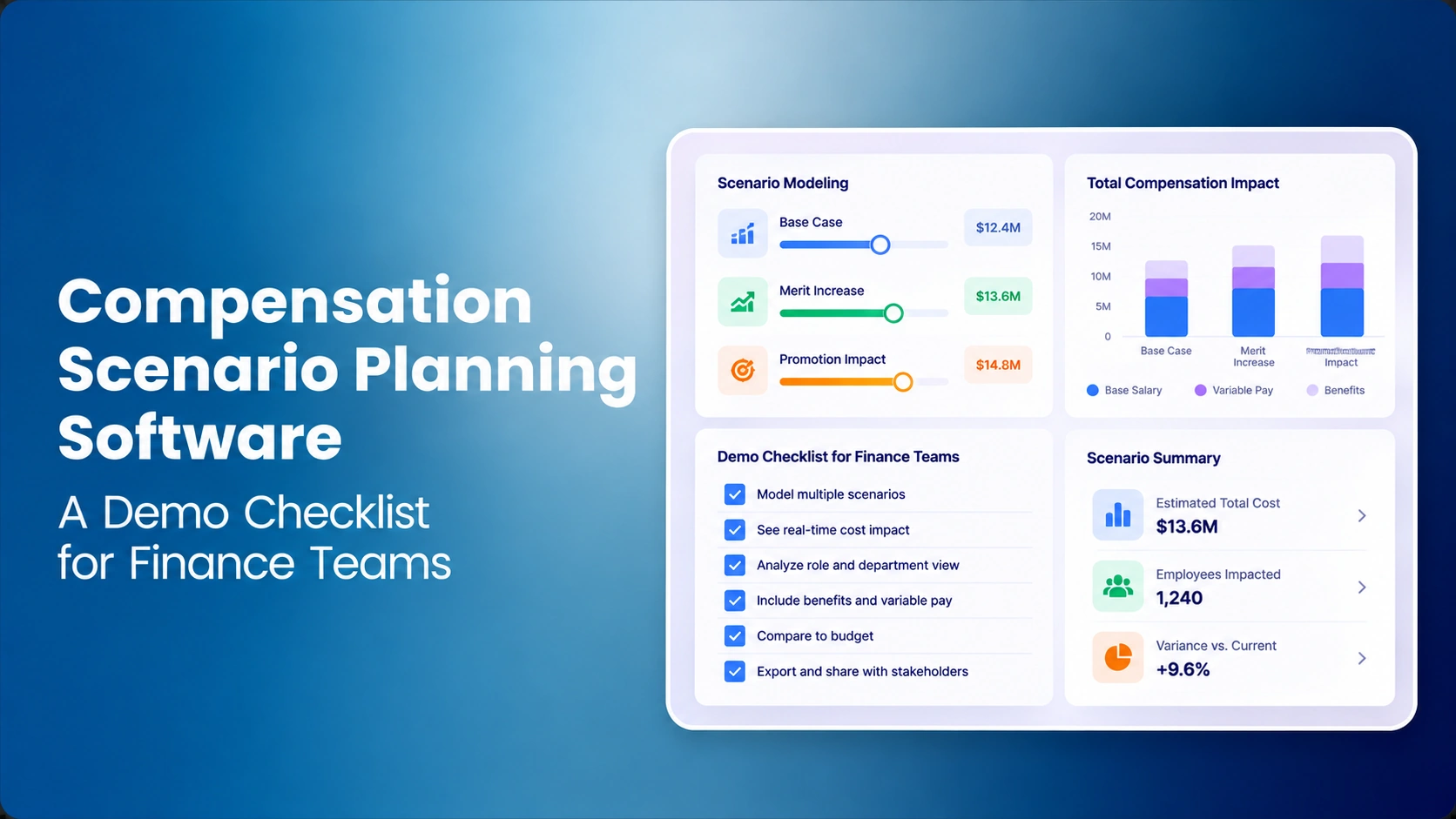

The CFO approved a $280,000 annualized merit pool. Two promotions need funding, market corrections are under consideration, and three HR business partners have separate versions of the plan. Everyone believes the cycle fits budget until Finance asks whether promotions draw from the merit pool and when the salary changes take effect. The totals are different because the assumptions are different, not because one calculator is necessarily wrong.
Compensation scenario planning software should help HR and Finance compare proposals against one eligible population, controlled pay policies and explicit cost assumptions. A credible solution must show what changes between versions, whose recommendation is pending, why a policy exception was accepted, and which numbers will actually flow into approved employee pay. A spreadsheet with three renamed tabs does not automatically provide this control.
This article is a compensation what-if modeling and purchasing test for Finance teams, not a general software ranking. For selection questions beyond scenario comparisons see the Compensation Planning Buyer's Checklist. For operational rules see how to run a merit cycle; the spreadsheet-versus-software comparison examines switching costs and workflow maturity.
The Inputs That Determine Whether Two Scenarios Can Be Compared
Scenario comparability begins with the population. Include only employees eligible for the specific cycle, record the source and snapshot date, and keep their annual base amounts on one consistent pay basis. Exclusions and currency conversions need explicit rules. The mere fact that the connected HRIS integration refreshes a record does not mean Finance has agreed to change the population halfway through reviewing a scenario.
Merit increase scenario planning also needs a versioned salary structure, the applicable merit matrix, any promotion or market actions, effective dates, budget ownership, and the employer cost factors Finance has authorized. Keep proposal states distinct from approved and executed pay changes. A manager recommendation should not silently become a final salary because its dollars appear on a budget chart.
| Input | Owner or source | Demo evidence | Common failure |
|---|---|---|---|
| Eligible employees and base pay | HRIS / HR Operations | Population and snapshot date | New hire changes baseline silently |
| Merit guidelines and caps | Compensation / Finance | Eligibility, rules and thresholds | Out-of-policy manager proposal accepted |
| Promotion and market requests | Authorized HR / Compensation | Separate funding categories | Same adjustment counted twice |
| Pay bands and position | Approved compensation structure | Grade and effective range version | Scenario uses obsolete band |
| Employer cost and timing | Finance | Annualized and current-year views | Full-year expense mislabeled as current-year |
| Approval history | Named HR and Finance owners | Submitted and approved scenario snapshots | Reviewed assumptions edited afterward |
A Worked Budget Comparison: Three Scenarios, One Salary Base
Assume 100 employees with a combined eligible annual salary base of $8,000,000. Finance authorizes a 3.5% annualized base-pay cap, equal to $280,000, and explicitly requires promotions and market adjustments to be included within that cap for this exercise. That cap is a fictional company policy. Other employers may fund promotions separately and must model the correct rule.
Scenario A allocates 3.0% to merit and $20,000 to promotions. Scenario B allocates the full 3.5% to merit plus the promotions. Scenario C allocates 2.75% to merit, funds the same promotions, and adds $30,000 in targeted market corrections. The important question is which allocation supports approved business priorities and defensible pay outcomes, not which number is smallest.
| Component | A: Balanced | B: Merit-heavy | C: Targeted |
|---|---|---|---|
| Merit rate | 3.00% | 3.50% | 2.75% |
| Merit dollars | $240,000 | $280,000 | $220,000 |
| Promotions | $20,000 | $20,000 | $20,000 |
| Market corrections | $0 | $0 | $30,000 |
| Total base increase | $260,000 | $300,000 | $270,000 |
| Headroom / overage vs. $280,000 | + $20,000 | - $20,000 | + $10,000 |
Scenario B exceeds the approved annualized cap by $20,000 and should trigger the defined exception route. A and C have room against the cap, but they make different decisions about where salary dollars go. A targeted correction may make sense when the reviewed facts justify it; the software should show the employee and grade context for reviewers, not automatically infer that every market or equity signal requires a specific raise.
Compare the proposed outcomes against compa-ratio and range penetration, and consider pay compression with appropriate job-level review. A low budget number is not a pass if the scenario violates an authorization rule or overlooks a required action. The merit-versus-promotion distinction is also essential to understanding which dollar pool is being consumed.
Annualized Versus Current-Year Expense: The Finance Trap
Assume every approved increase starts July 1 in a calendar year and Finance uses a fictional 20% employer on-cost planning factor. The model should report annualized base increases, separately identified employer costs, and six months of current-year expense. If effective dates differ across individual promotions, the calculation must handle them separately; these examples deliberately use one shared date to make reconciliation transparent.
| Expense measure | Scenario A | Scenario B | Scenario C |
|---|---|---|---|
| Annualized base cost | $260,000 | $300,000 | $270,000 |
| Annualized on-costs | $52,000 | $60,000 | $54,000 |
| Annualized modeled total | $312,000 | $360,000 | $324,000 |
| Current-year base cost | $130,000 | $150,000 | $135,000 |
| Current-year on-costs | $26,000 | $30,000 | $27,000 |
| Current-year modeled total | $156,000 | $180,000 | $162,000 |
The $280,000 authorization is a base-pay cap, not a total-expense budget inclusive of employer costs. The comparison should never call a $312,000 total annualized employer expense a $32,000 breach of that base-only cap. Finance must decide whether on-costs are funded by a different budget. One-time bonuses and retention awards also belong in explicitly different categories because their costs do not necessarily recur as base pay.
Ten Scenario Planning Software Demo Tests for Finance
1. Freeze the employee and salary baseline
Set a cycle snapshot for 100 employees and the $8 million eligible base. Update one employee's pay in the HRIS, then refresh the dashboard without accepting a new baseline. The old scenario should remain reconstructable. Ask the vendor to show which salary snapshot was used and how an authorized refresh affects the comparison. An unexplained headcount change invalidates the apparent savings.
2. Make and preserve a scenario copy
Duplicate Scenario A, change its merit rate from 3.0% to 3.5%, and save it with an owner and a reason. Reopen A: the original $260,000 annualized base-change total must still exist. If the system only keeps the newest value, Finance cannot reconstruct the approved proposal. Test whether cloning also preserves policy versions and exclusions.
3. Separate merit, promotions and market adjustments
Enter two hypothetical $10,000 promotions and a separate $30,000 market correction. The compensation ledger should preserve action type and employee identity, prevent the same increase from being counted twice, and apply the defined funding rules. The market-versus-merit comparison and promotion-versus-merit article explain why the distinctions affect approval and employee messaging.
4. Route the $20,000 over-budget case
Submit Scenario B's $300,000 against the $280,000 cap and attempt to finalize it as a line manager. The workflow should identify the overage and honor the configured authorization boundary. Return it, revise an award, and resubmit. Use the eight approval-workflow demo tests to assess escalation, evidence retention and what happens when a reviewer rejects a proposal.
5. Change timing, not annualized base pay
Move the modeled effective date from July 1 to October 1 in the same calendar year. Annualized increase amounts should not change, but current-year cash impact falls from six to three months, assuming no other adjustments. Next, give one promotion a different effective date. The model should handle the specific timing or clearly show that Finance needs an external calculation.
Connect Compensation Budgets With Approval Decisions
Explore CompBldr's governed merit planning, configurable review rules, budget visibility and decision history. Ask which scenario features are supported in your configuration.
6. Flag policy exceptions and grade range issues
Add a recommended new salary above the current approved salary band and ask for the precise range version used in that comparison. Then check for possible compression concerns and inconsistent position-in-range metrics. These should be review signals, not automatic salary corrections or declarations of unlawful discrimination.
7. Model business-unit funding and cross-charges
Split the $280,000 pool equally across two business units. Submit $155,000 from one and $105,000 from the other. Companywide spending fits the cap, but the first unit exceeds its $140,000 allocation by $15,000. Finance should see both the local and consolidated positions and the named authority required to transfer headroom. A green enterprise total does not constitute a local approval.
8. Lock a reviewed scenario against silent editing
While Finance examines Scenario C, have a manager revise one pay proposal. A controlled process should preserve the reviewed version, create or identify the changed submission, and avoid assigning the prior approval to the revised amount. This complements live budget monitoring described in the merit-cycle automation guide, which alone does not prove snapshot integrity.
9. Explain the submitted-to-approved variance
Remove a targeted correction from Scenario C, then require a revised cost breakdown, the employee count affected and a reason for the change. The Finance reviewer should be able to reconcile the original proposal with the approved result. If a dashboard simply changes from amber to green, ask for the line-level evidence that explains the variance.
10. Export the approved version and reconcile execution
Export the final population, scenario assumptions, annualized and in-year dollars, exception decisions, approvers and effective dates. Then test whether the downstream HRIS or payroll record reflects the approved new base. The system's reporting capability should support scrutiny, but never assume that native scenario export or payroll reconciliation exists without a demonstration.
A Finance-Led Vendor Scorecard
To evaluate compensation scenario software, bring the same baseline and questions to every demonstration. Rate what an authorized reviewer can reproduce instead of scoring a feature that appears in a slide. If the total is 82 but a line manager can finalize an unauthorized over-budget proposal, do not let that high number override the control failure.
| Evidence category | Weight | Required proof | Score 0–5 |
|---|---|---|---|
| Preserved scenario versions | 20% | Reopen and compare A, B and C | Not scored |
| Budget arithmetic and dates | 25% | Annualized and in-year totals reconcile | Not scored |
| Approval rules and exceptions | 20% | $20,000 overage routed to authority | Not scored |
| Pay-position context | 10% | Flags against approved bands shown | Not scored |
| Restricted collaboration | 10% | Manager access limited to authorized records | Not scored |
| Export and execution trace | 15% | Approved version reconstructable | Not scored |
| Total | 100% | Authorization gates separate | Not scored |
For a score out of 100, multiply each category's score divided by five by that category's weight, then sum. A 4/5 score on the 25% calculation criterion earns 20 points. These example weights reflect a possible Finance team's priorities, not a standard across employers. It is reasonable to adjust them before procurement so vendors face a transparent rubric.
How to Test the Hand-off Between HR and Finance
Finance compensation budget modeling often fails outside the calculation: eligibility changed after approval, one business unit owns an exception no longer reflected in the HRIS, or the timing assumption is missing from the report. Run a live workflow with a Compensation analyst, an HRBP and a Finance approver. Give each participant only the fields and actions they should be authorized to see.
The analyst establishes the eligible population and proposed merit policy. The HRBP enters an illustrative manager proposal, while Finance attempts to reconcile the annualized and current-year cost. The owner of the salary structure approves the grade and range used for alerts. Finally, the Finance approver rejects the over-cap version and asks for a corrected submission. This sequence exposes missing decision rights much faster than walking through every navigation item.
| Observed failure | Likely missing control | What to require in the demo |
|---|---|---|
| Scenario totals change on refresh | Approved baseline is not preserved | Show before/after employee snapshot and refresh authority |
| Merit and promotion both charge the same award | Action taxonomy or funding map unclear | Show award ID, category and one budget allocation |
| Current-year and annualized costs are identical | Effective dates ignored or confused | Change one start date and reconcile the delta |
| Out-of-policy submission is auto-approved | Role routing bypassed | Demonstrate rejection, return and resubmission |
| Finance report disagrees with HR decision | Version or execution status differs | Recover final approved inputs and downstream status |
CompBldr's Role in Governed Compensation Planning
CompBldr's Compensation Planning provides a governed setting for merit recommendations, budgeting, approvals and decision records. Its Compensation Analytics supplies pay position and trend context; Compensation Reporting can support relevant reporting outputs. The Job Architecture and Market Benchmarking capabilities provide structure and market evidence for informed review.
That product context is not proof of unlimited scenario branches, predictive staffing forecasts or automatic general-ledger synchronization. A buyer should ask which specific comparisons, exports and control tests are supported now, which are configurable, and what remains an external Finance process. The broader compensation governance platform guide explains the importance of accountable decision owners.
General financial scenario planning products, including Workday Adaptive Planning, describe shareable what-if scenarios across financial drivers. Mercer's Merit Co-Pilot describes budget-aware merit recommendations. Those are useful category references, but no vendor should be credited with employee-level compensation approvals or salary-risk controls that have not been demonstrated.
Avoid These Last-Mile Compensation Modeling Mistakes
- Double counting: one promotion appears both within the general merit allocation and in a separate promotion line.
- Bad comparisons: the eligible salary base differs between scenarios without a recorded reason.
- False overages: Finance compares a base-only budget against salary plus employer taxes and benefits without defining the cost basis.
- Approval gaps: a returned scenario is silently resubmitted without a new reviewer record.
- Ignored people risks: the lowest-cost scenario leaves a flagged pay equity issue unreviewed or creates a new salary-range exception.
- Unreconciled execution: a planning approval does not match the employee's actual approved pay record.
An employer focused on expansion may prioritize promotion and market corrections while protecting a critical skills population. An employer managing cash may prefer different effective dates while preserving necessary pay obligations. An identified legal remedy should not be delayed merely to improve a discretionary merit scenario. The scenario tool should make choices and evidence visible; executives and appropriately qualified reviewers remain responsible for the decisions.
Further Reading
- CompBldr: Compensation Planning Software Buyer's Checklist for broader feature assessment.
- CompBldr: Compensation Dashboard Metrics for definitions and reporting practices.
- CompBldr: 2027 Merit Increase Budget for budget research distinct from this hypothetical exercise.
- Workday: Financial Scenario Planning for general FP&A scenario functionality.
- Mercer: Merit Co-Pilot for a separately positioned compensation planning approach.
Compare Compensation Scenarios With CompBldr
Bring one hypothetical pay population, three budget allocations and your Finance approval rules. Ask which scenario capabilities can be demonstrated in your configuration.
Book a DemoEditorial note: All employees, salary amounts, spending caps, rates, market corrections, dates and vendor weights are hypothetical. The examples are for buyer testing, not actual budget recommendations, legal advice or claims about specific vendor product functionality.


.svg)

.svg)
.svg)

