

.svg)





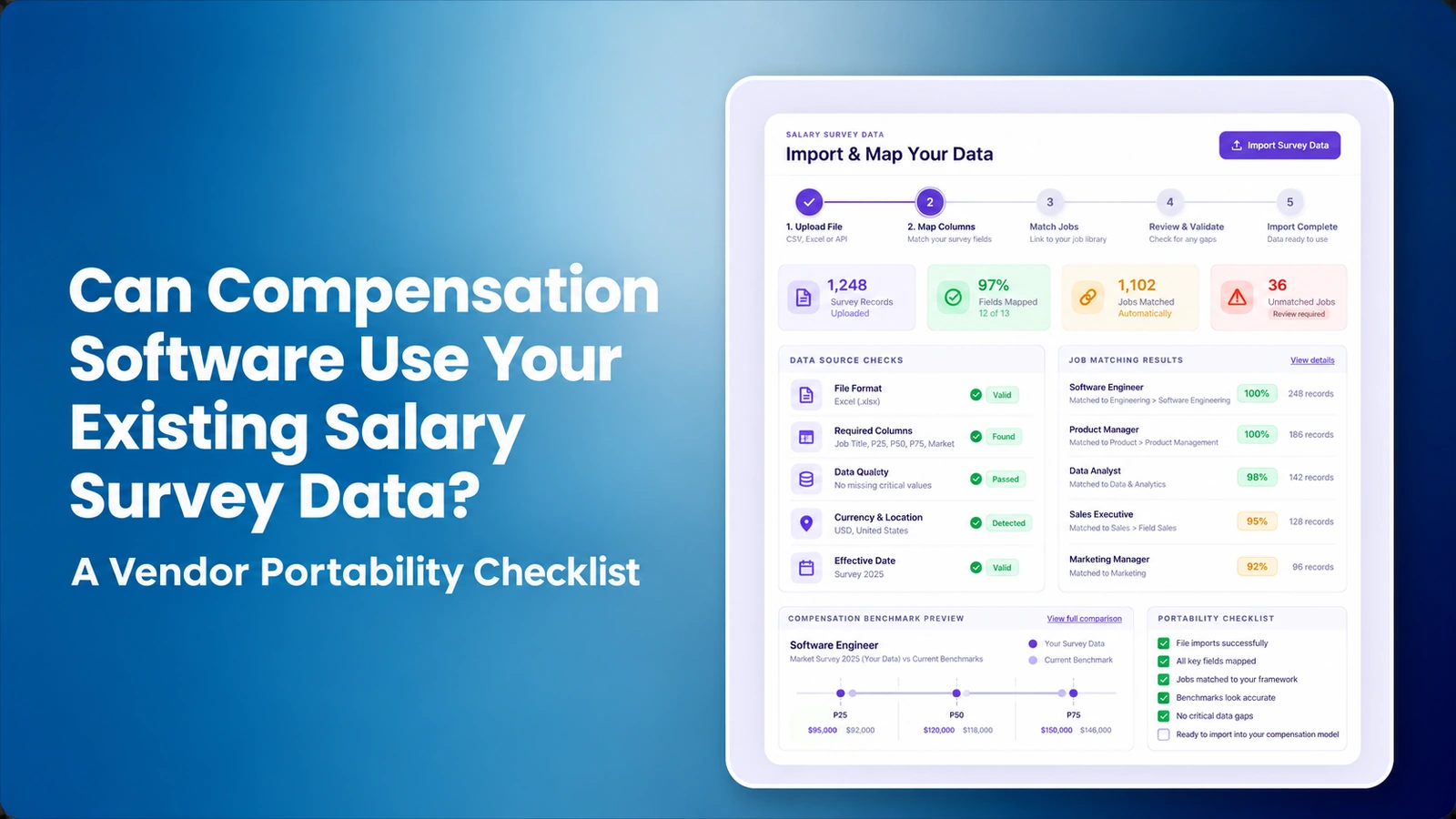

Can compensation software use existing salary survey data? Yes, when two conditions are met: the employer's survey license permits the planned third-party processing and the vendor can technically import, validate, govern and export the relevant data. A CSV upload may work while the license still prohibits it; a publisher-approved transfer may be lawful while the software cannot preserve job scope, effective dates or review history. Confirm both before retiring a spreadsheet or contracting a new platform.
Imagine a US compensation team using three licensed data sources. Engineering benchmarks come from one publisher, manufacturing roles from another, and a third covers specialized regional hiring. Different survey job codes, older editions and inconsistent pay components make a single export difficult. The buyer needs to know which records may be transferred, which role matches must be reapproved, and whether a prior pay-range decision can be reproduced after the move. Use CompBldr market benchmarking as product context, then test the specific survey permissions and configuration rather than assuming universal compatibility.
This vendor checklist helps US Total Rewards and compensation analysts compare the right things when selecting salary benchmarking software. It includes a practical proof-of-concept, a source-quality matrix and questions about third-party publisher licenses. It is intentionally narrower than a general compensation benchmarking buying guide or a list of popular survey providers.
Why does salary-survey data portability matter?
Employers often have several datasets because different surveys provide better coverage for different industries, job families, geographies and pay components. Payscale's 2026 Compensation Best Practices Report reports an average of three salary-data sources used for market pricing, with 60% of its surveyed organizations using traditional publisher surveys and 71% ranking industry relevance as important when judging trustworthy data.
These findings support a need to document multiple inputs, but they do not prove every software vendor can accept every survey. A compensation analyst should be able to trace a proposed midpoint to a source, role match, data vintage, sample context and methodology. If those links disappear during migration, adopting a new platform can make the organization's evidence harder to defend. For adjacent guidance see benchmarking mistakes.
What must buyers check before importing licensed survey data?
Start with the written license from each survey publisher. Determine whether the employer may store the dataset in third-party software, whether a service provider may process it, whether derived figures may be exported and whether redistributing records is prohibited. These terms are contract-specific; an employer owning a file does not necessarily own unrestricted reuse rights. Ask the survey provider when the contract is unclear and document the approval.
Next, obtain the destination platform's exact supported formats, APIs, size limits, security controls and retention rules. Confirm who can download the original records and how access ends after termination. The CompBldr market benchmarking page describes configurable survey sources but explicitly says licensing, supported file formats and integrations depend on implementation. Treat those as items to validate, not confirmed universal compatibility.
Survey license rights versus technical portability: what is different?
Procurement should obtain a written answer for each right, preferably from the publisher or the authorized license holder. The license to read a salary survey does not automatically authorize uploading full results to a SaaS vendor, training an AI model on the underlying records, redistributing raw values, or storing copies after a subscription expires. These points are contractual questions, not rules that apply identically to every publisher. Ask counsel or the data-rights owner to resolve ambiguous language.
| Buyer question | Publisher/license evidence | Software evidence |
|---|---|---|
| May a third party process this survey? | Named authorized processor and permitted purpose, or written permission | Access-control boundary, vendor/subprocessor terms and import pathway |
| Which records can leave the publisher environment? | Permitted statistics, job descriptions, extracts, geography and usage limits | Field map showing only authorized data enter the target system |
| Can derived market benchmarks be exported? | Contract treatment of aggregates, transformed outputs and redistribution | Proof of export with allowed values, lineage and classification |
| What happens at renewal or termination? | Continuing rights, required deletion and permitted historical use | Deletion and restricted-data export procedure with named owners |
| Can records be used with AI-assisted matching? | Restrictions on model processing, retention and sharing | Evidence of model/data processing settings and human review |
Keep ownership separate: the employer's internal job IDs, matching notes and decisions may be different assets from the licensed publisher's survey tables. A vendor exit plan should identify what can be retrieved, what must remain restricted and what should be deleted. This is a procurement checklist, not legal advice.
What fields should a compensation data portability checklist contain?
Separate source identity, job identity, statistical value and governance. Minimum fields may include publisher, survey name, dataset edition, effective date, industry, geography, job code, job scope, pay component, currency, percentile, sample coverage where permitted, matching rationale, approver and source-weighting policy. Record whether any statistic was aged and which assumption produced the updated estimate.
Some publishers do not license every detailed source field for export. Build a field-level mapping between permitted source elements and the target platform rather than assuming a uniform schema. See salary survey provider selection and compensation terminology to align pay component definitions before importing.
| Field or control | Proof buyers should request | Why it matters |
|---|---|---|
| Publisher and license | Rights and approved processing scope | Prevent unauthorized third-party use |
| Survey edition / effective date | Source vintage and permitted aging rule | Avoid mixing time periods |
| Job ID and scope | Match notes and approved comparator | Reduce title-only errors |
| Geography, currency and industry | Population and coverage documentation | Support relevant labor markets |
| Percentile and pay component | P25/P50/P75 and base vs total cash labels | Prevent misleading comparisons |
| Reviewer and history | Approved override and previous mapping | Make decisions reproducible |
For a migration test, record the survey's edition, effective date, benchmark geography, pay component, sample and percentile definitions alongside every job comparator. P50 base salary is not the same field as P50 total cash, and a metropolitan benchmark is not automatically equivalent to a national value. For source confidence, retain field-level metadata, not just the resulting midpoint. Benchmarking versus market pricing explains why an externally observed rate and an internally approved salary grade are different decisions.
How should software map internal jobs to survey titles?
A good workflow starts with governed job architecture: family, level, location, responsibilities and relevant role scope. The analyst can review multiple candidate survey matches, reject a title-only match and record why a comparator was selected. AI-assisted matching may narrow candidates, but an automated similarity label is not evidence that two jobs have equivalent responsibilities.
Run a demo using a senior engineering role whose title is common but whose duties include a larger budget or supervisory scope than the survey job. Ask the vendor to explain the match recommendation and show a reviewer override. Inspect whether the previous match remains in history. CompBldr's job architecture and job evaluation workflows provide context, while the benchmarking versus market pricing guide explains why a market number is not an internal grade.
How can HR combine data from multiple salary surveys?
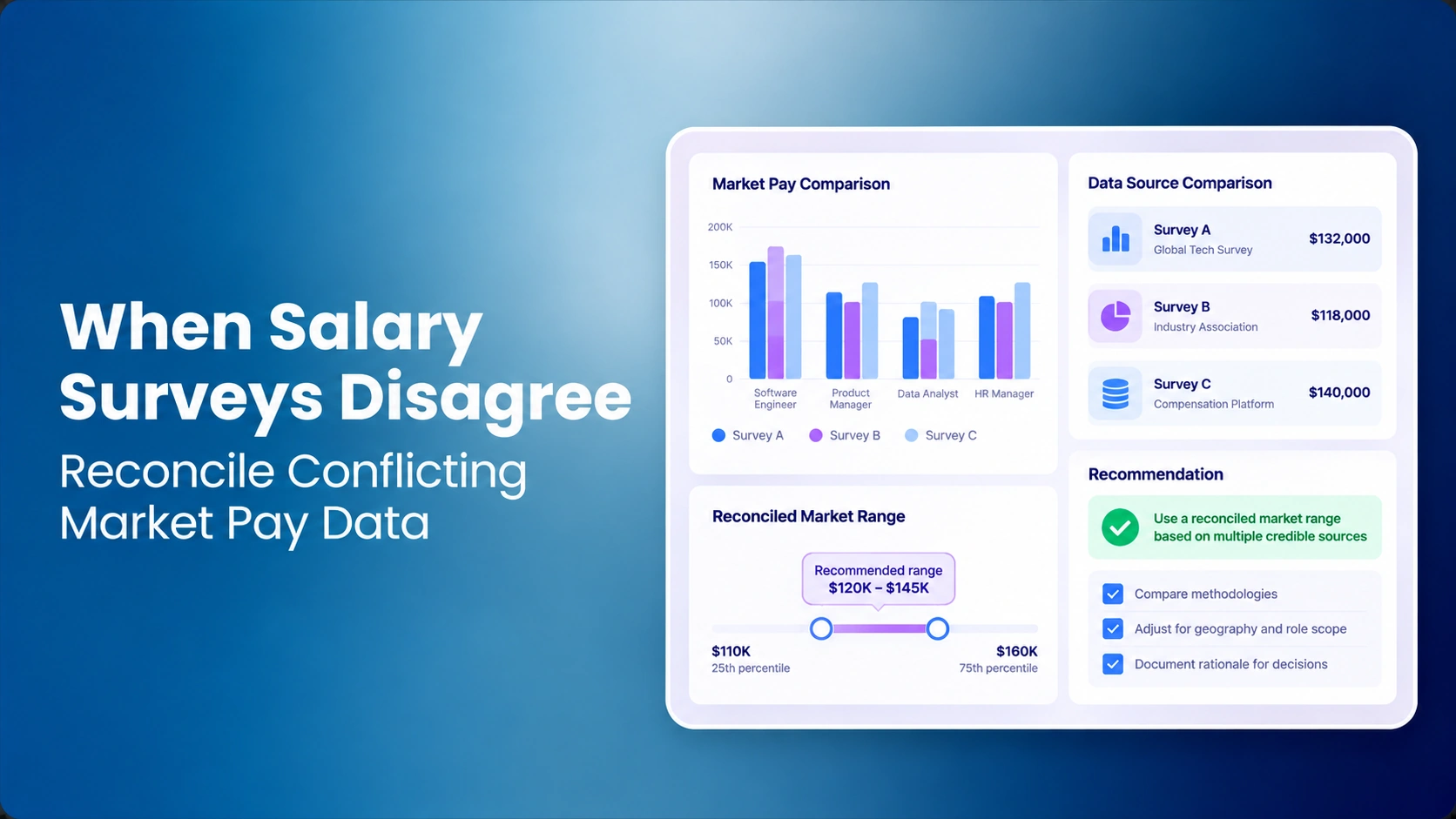
Ask how the platform handles duplicate comparators, different data vintages, conflicting percentiles, survey quality and user-defined weights. A defensible analysis may show several sources side by side rather than reducing everything to a single unexplained blend. If a weighted result is used, retain the source values, weights, currency, aging and reviewer rationale. A confidence indicator should prompt further review, not create a guarantee of accuracy.
As a fictional example, Source A shows a $110,000 P50 benchmark and Source B shows $120,000 for an appropriately matched role. A 60/40 weighted calculation produces $114,000. That simple average is only meaningful if the sources are comparable and the weighting is justified. If one is from a different geography, currency or job scope, using it without adjustment may be misleading. See reconciling conflicting survey figures.
Worked example: how does salary survey source weighting change the market median?
Use the same properly matched job scope and geographic basis across sources before discussing weights. In this fictional case, Source A reports a P50 of $110,000 and Source B reports $120,000, and a compensation analyst assigns weights of 60% and 40% based on a documented quality policy. The result is $114,000. It is a math example, not a quoted salary benchmark or proof that these survey sources are interchangeable.
| Input | Survey P50 (fictional) | Approved weight | Contribution to blended P50 |
|---|---|---|---|
| Source A, matched job | $110,000 | 60% | $66,000 |
| Source B, matched job | $120,000 | 40% | $48,000 |
| Blended result | Not an independent survey statistic | 100% | $114,000 |
| Unweighted comparison | ($110,000 + $120,000) ÷ 2 | 50% each | $115,000 |
Formula: (110,000 × 0.60) + (120,000 × 0.40) = 114,000. When an alternative weight changes the result, the system should retain the original sources, approved weight configuration, analyst's rationale and calculation version. Do not blend if the surveys represent materially different roles, pay components, countries or reference periods without a defensible adjustment. For deeper analysis of conflicts, see reconciling conflicting salary surveys.
What should a salary survey import demonstration include?
Provide a small synthetic or properly licensed test dataset with job code, geography, currency, effective date and several permitted percentile columns. Insert at least one deliberately unmatched job, one invalid salary component and one older survey. Ask the vendor to import, map, flag errors, compare source quality and export the approved decision record. Confirm whether an import failure can be reversed without corrupting earlier approved benchmarks.
For buyers, the most useful artifact is a row-level reconciliation report identifying imported, rejected, pending and approved entries. Do not accept a “100% successful” message without checking counts and samples. Also test whether source editions can be changed without overwriting a prior pay range or report. Data reconciliation and salary range versions are directly relevant.
Five acceptance tests to run during a salary survey import demo
Give every vendor the same synthetic or expressly authorized test sample. Identify the expected behavior before the demo and have the compensation owner sign off on failures. The relevant proof is a row-level log, not a screenshot saying 100% import success.
| Test | Scenario | Pass evidence |
|---|---|---|
| 1. Authorized data intake | A sample with documented publisher processing permissions and restricted fields | Vendor confirms permitted format, scope and access |
| 2. Bad data quarantine | Missing currency, outdated edition and invalid pay component | Rejected rows do not silently enter approved market pricing |
| 3. Job scope review | Two plausible survey jobs with one overstated responsibility level | Analyst can reject a recommendation and preserve reason |
| 4. Weighting and aging | Change source weight and aging input for the same role | Original data and prior calculation are reconstructable |
| 5. Controlled exit | Export approved customer mappings and history without unauthorized survey rows | Stable IDs, reviewer evidence and contract-aligned data restrictions |
How should market-data aging and effective dates be tested?
A salary survey may reflect compensation at an earlier reference date than the employer's planned salary structure. Ask how an aging percentage is applied, whether the annualization basis is documented and how the original value is retained. If the analyst selects an illustrative 3% aging adjustment to a $100,000 benchmark for one full year, the adjusted number becomes $103,000 under a simple one-year assumption. This is a calculation example, not a recommended rate or current market claim.
The platform should clearly label which survey edition and aging convention generated a report. A past decision must be reproducible using its original date, not automatically rewritten when the next survey is loaded. Connect accepted market data to salary structure planning only after verifying the correct input, or use the established compensation planning workflow when appropriate.
Worked aging example: one-year versus two-year adjustments
Salary survey aging is a policy-based adjustment from a survey reference date, not an assertion that compensation grows at one universal rate. With a fictional $100,000 P50 and an explicitly chosen 3% annual assumption, a one-year compound adjustment is $103,000; two full years yield $106,090. A simple linear policy could produce a different result, so the report must state whether aging is compounded, how partial years are treated and the exact source and target dates.
| Reference period | Calculation | Illustrative adjusted value |
|---|---|---|
| Source survey date | Unadjusted P50 | $100,000 |
| After one full year | $100,000 × 1.03 | $103,000 |
| After two full years, compounded | $100,000 × 1.03 × 1.03 | $106,090 |
| Later authorized survey edition | Reevaluate source and effective date | No automatic overwrite of prior approved report |
Require versioned rate, date, formula and approver fields. If the analyst changes the aging assumption after an earlier salary structure was approved, prior decisions should still be reproducible. The results above are illustrative calculations, not forecasts or recommended aging rates.
Can employers export survey matches if they change vendors?
Portability is not merely the ability to download a raw CSV. Ask whether the employer can retrieve its own role IDs, approved mappings, review comments, formula assumptions, source configuration, matching versions, report history and any licensed data the employer is permitted to export. Separate customer-owned transformations from publisher-controlled survey contents. The exit rights must be reviewed in the contract before signature.
Have the vendor generate a sample export and import it into a neutral spreadsheet or sandbox. Check stable identifiers and source references rather than only row counts. Request the planned retention/deletion procedure for restricted survey files after migration. The pricing model may include export or service terms that are absent from general product descriptions; obtain those details in writing.
Which privacy and intellectual-property risks matter?
Salary survey datasets may carry contractual restrictions, confidential source details and limits on cross-customer access. Employee salary data and survey market data are also different categories of information. Define permissions separately: who can manage licensed source files, who may review job matches and who may export employee-pay comparisons. Require the platform to identify how shared processing, subcontractors and retention are controlled.
Use synthetic job records for product demonstrations unless the survey publisher and employer have approved the test. If AI-assisted matching is involved, ask what data is transmitted and whether models retain content. CompBldr's AI feature descriptions can inform questions, but product information does not replace a written security or licensing review. A tool that matches titles successfully may still fail a data-rights requirement.
How should HR score compensation benchmarking vendors?
Use an editorial weighting of 25% for contractual/data compatibility, 20% job-match review, 20% source traceability, 15% reporting and data export, 10% reviewer permissions, and 10% integration support. Rate each completed live test from zero to five and preserve evidence. A missing license right or impermissible source redistribution is a hard stop, even if the platform scores well on automation.
Compare the same test dataset across vendors and request written confirmation of survey-specific file formats and data rights. The goal is defensible market pricing—not simply showing more colorful dashboards. For purchase context see CompBldr overview and ask for an actual survey-data import demonstration using permitted sample data.
Vendor scorecard: how to compare survey portability without overlooking license risk
Lock the criteria before vendor demonstrations. The illustrative weighting below totals 100%; it is an editorial procurement model, not a measured vendor ranking. Rate observed evidence from 0 to 5 and calculate (rating ÷ 5) × category weight. A 4/5 in a 25-point licensing/compatibility category earns 20 points. A publisher-license violation should be a separate disqualifying gate rather than a low score to average away.
| Category | Weight | Required evidence |
|---|---|---|
| Data-license and processing compatibility | 25% | Publisher-approved scope; processor and data-handling evidence |
| Job matching and human review | 20% | Candidate match, override, reason and version |
| Source lineage, weighting and aging | 20% | Reproducible statistics, configurations and dates |
| Reporting and contract-aligned exports | 15% | Retained analyses and sample exit files |
| Reviewer access and governance | 10% | Authorized role controls and decision audit |
| Import implementation and support | 10% | Error handling, field map, testing and named owner |
Compare the same approved test sample across vendors. Keep a separate record for unlicensed source processing, unreproducible pay decisions and restricted data exposure. Those issues require resolution before procurement approval, irrespective of the combined score.
What should a market-pricing migration pilot prove?
Select a few difficult roles rather than thousands of easy matches. Include one job with two plausible survey comparators, a role missing critical scope information, a changed job level, an outdated survey edition and a salary structure previously approved under older data. The reviewer should be able to explain and reproduce which evidence informed each proposed range and what changed between cycles.
Document a go-live decision with the Compensation owner, vendor implementation lead and relevant data-license approver. Count unresolved source-rights questions, low-confidence matches and rejected imports separately. Preserve the prior analysis so the company can defend its earlier market position if challenged. Market benchmarking software is a tool for decisions with accountable owners, not a substitute for the organization's compensation philosophy.
What does CompBldr say about survey data support, and what still needs proof?
CompBldr's market benchmarking page describes up to six configured active sources per cycle, source weighting by job family, AI-assisted candidate matching, confidence indicators, reviewer overrides and versioned benchmark reports. Those are published product descriptions, not an assurance that every licensed publisher, API, file format or historic record is available for your specific implementation. The page explicitly ties source availability and integration options to licensing and configuration.
For a real procurement decision, request proof of the exact publisher feed, permitted import fields, spreadsheet or API workflow, confidence review, export entitlements, data deletion and implementation fees. Test one unsupported record as well as one approved match. TrAI's AI-related product information should prompt questions about external processing and human authorization, rather than becoming a blanket claim that a model may use any proprietary survey content. Confirm the purchased scope on the CompBldr pricing page and in the written statement of work.
Buyer portability checklist: 10 checks
- Confirm source-publisher licensing and third-party processing permissions.
- Identify permitted file formats, APIs and data fields.
- Preserve source vintage, scope, pay components and currency.
- Map jobs using job architecture, not just title strings.
- Keep reviewer overrides and evidence records.
- Version blending weights and source configuration.
- Document data-aging assumptions and periods.
- Reconcile imports and rejected records.
- Test export of customer-owned mappings and historic decisions.
- Approve an exit and restricted-data deletion procedure.
Keep this checklist in the visible article rather than hiding it behind a lead-generation form. The downloadable version can simplify procurement, but search engines and AI assistants should be able to cite the core methodology.
Evidence, examples and research limits
Reviewed October 31, 2026. Payscale's 2026 Compensation Best Practices Report analyzed 3,413 responses gathered October–December 2025 and reported a mean of three market-pricing data sources and 60% using traditional survey publishers. These are descriptive survey results, not requirements for how many sources one employer needs. The source blends, aging rates and salaries used in this article are fictional illustrations. The definitive right to use, share and export a survey depends on the specific license and applicable agreements. This is general procurement information, not legal advice.
Conclusion: portable data must remain defensible
Survey portability is useful only if the rights to process the data, the job scope and the calculations remain explainable after migration. Test contract permissions, import failures, source weighting, aging and export with the same controlled sample across vendors. Preserve the old analyses until the replacement passes your signed acceptance tests. Do not let a smooth upload become a reason to lose the evidence behind earlier pay decisions.


.svg)

.svg)
.svg)

